
Most service businesses track leads in someone's head, a notebook, or a text thread with the office manager. It works until a quote goes out and nobody follows up for three weeks.
Quick answer: In GoHighLevel, go to Opportunities > Pipelines to check or edit your stages. Back on the Opportunities board, click Add opportunity, pick the contact, name it with the person and the job, and enter a value. Move cards between columns as jobs progress, and set the status to Won or Lost when they're done.
What is a sales pipeline in GoHighLevel?
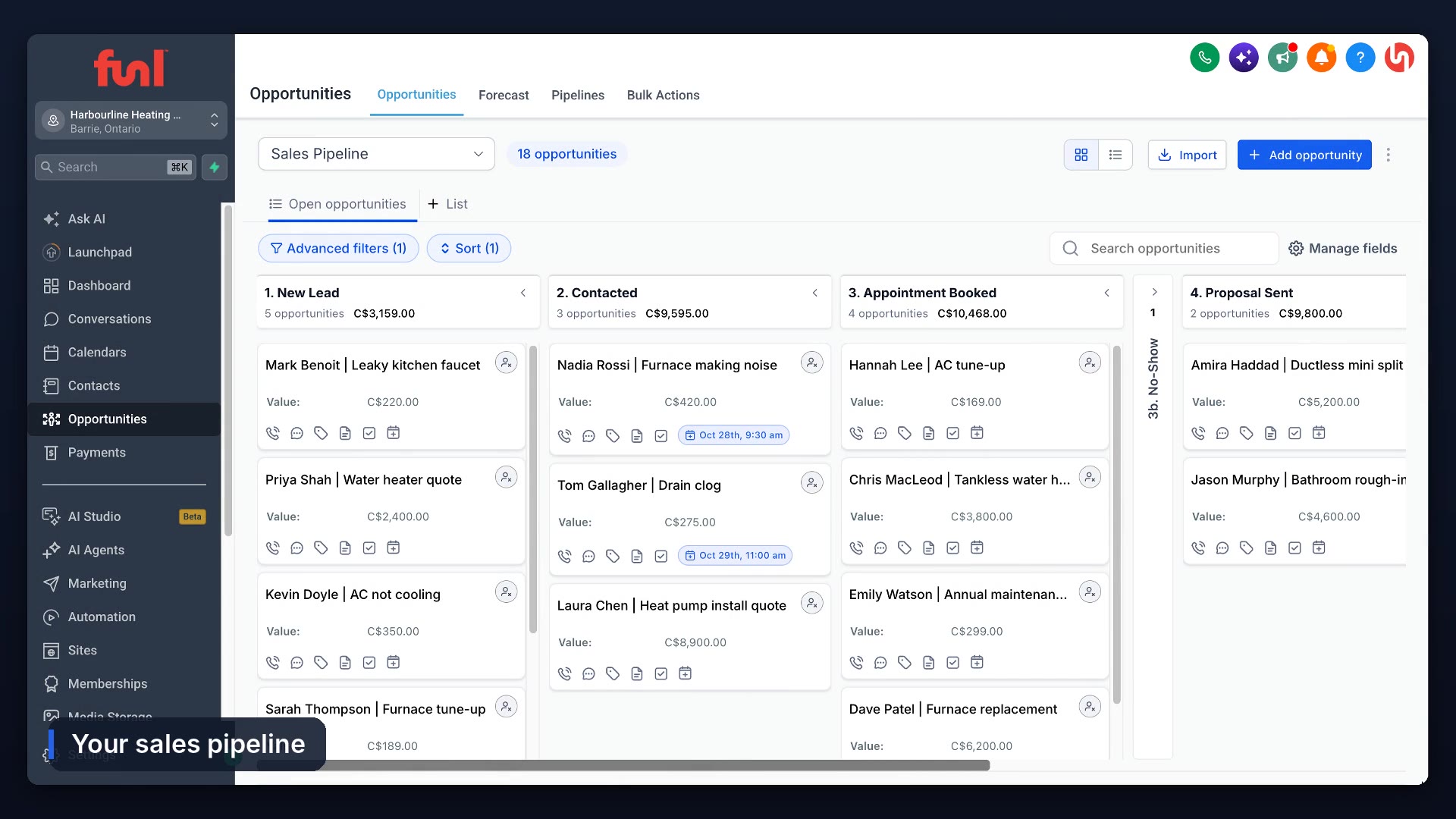
A board. Every lead is a card, every column is a step in how you sell, and the total at the top of each column shows what the jobs in that step are worth. HighLevel calls the cards opportunities.
How do you set up pipeline stages?
Go to Opportunities > Pipelines and open the pipeline. Funl accounts come with one already built: New Lead, Contacted, Appointment Booked, No-Show, Proposal Sent, Won and Lost. You can rename, reorder or add stages there, and HighLevel's pipeline docs cover creating a new pipeline from scratch.
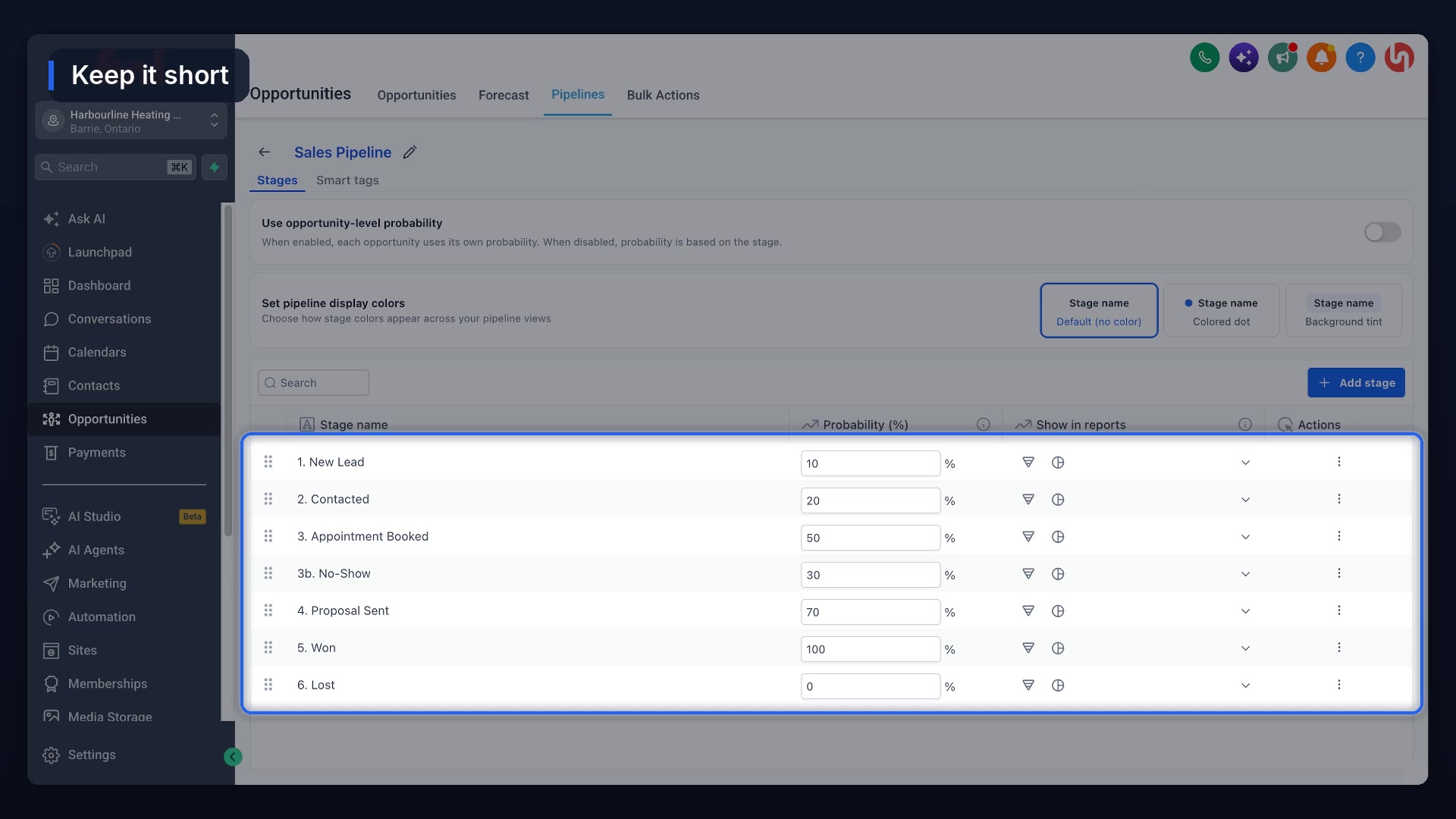
Keep the list short. If you can't say what moves a card from one stage to the next, you don't need both stages.
How do you add an opportunity?
On the board, click Add opportunity. Pick the contact, name the card with the person and the job (their name, then "Furnace tune up"), and add a value: what the job is worth to you. The card lands in the first stage.
Most cards shouldn't be added by hand at all. Forms, calendar bookings and missed call workflows can create them automatically. If a customer books online, the card shows their appointment too.
How do you move a card and close a job?
Drag the card to the next column, or open it and pick a new stage. The column totals update as you go.
When the job is done, open the card and set the status to Won. If they went with someone else, pick Lost. Click Update. Closed jobs drop off the open board, so what's left is work you can still win.
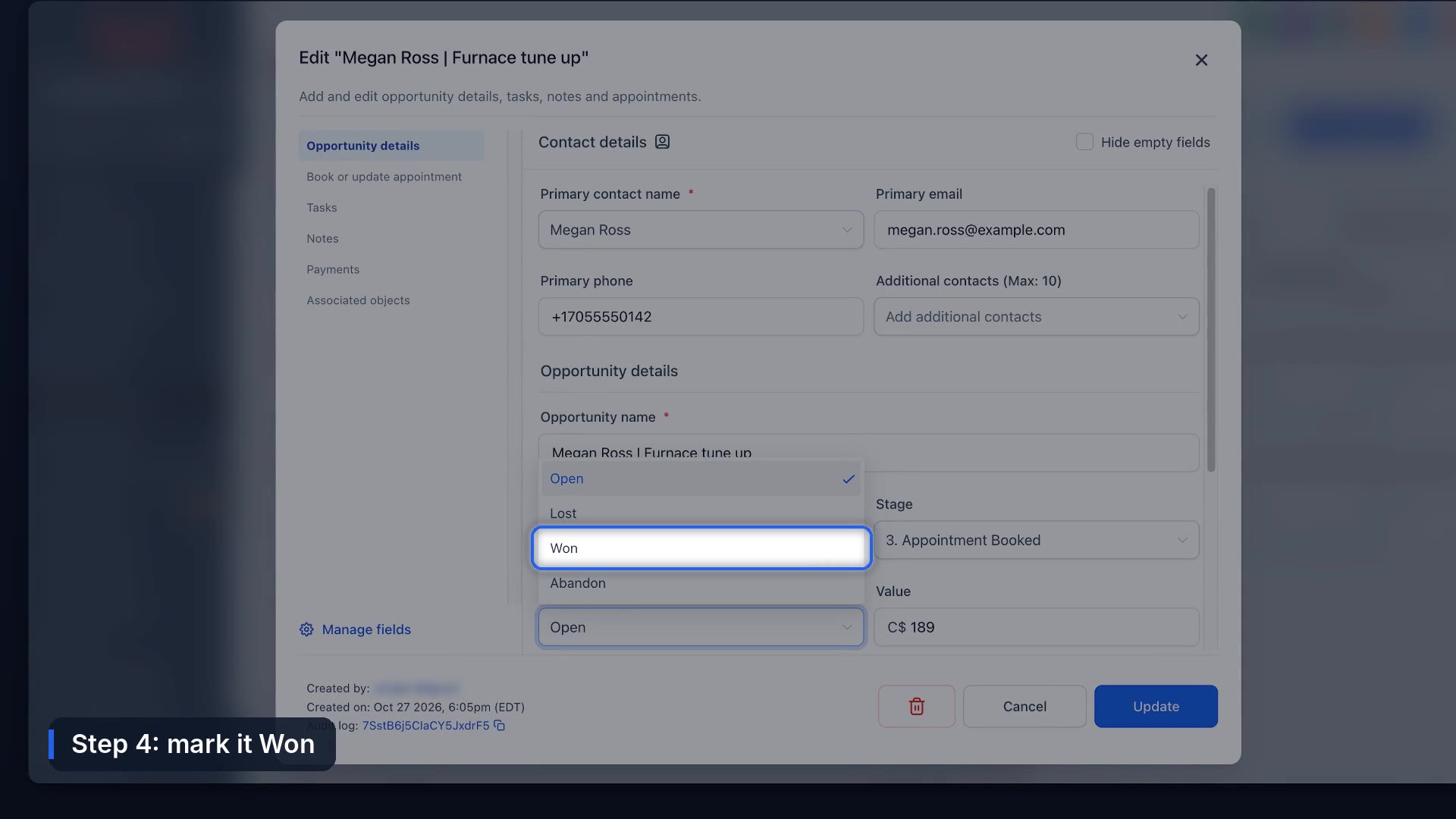
Marking a job Won is also a good trigger for the next step. In Funl accounts it starts the automatic Google review request.
How do you find a card fast?
Use the search box above the board. Type "furnace" and you see every furnace job, by stage.
The one rule people skip
Put a value on every card. A card with no value adds nothing to the column total, and after a few of those the totals stop meaning anything. You can't forecast next month from a board where half the jobs are worth zero.
What we haven't solved
A pipeline is only as current as the last person who updated it. Automations can move cards when a booking or payment happens, but plenty of steps (a quote sent from a truck, a phone call that went well) still need someone to drag a card. We haven't found a way around that besides making it a habit at the end of each day.
To move cards automatically, build a workflow with a pipeline stage trigger. And so new leads never sit untouched in the first column, set up missed call text back.
Frequently asked questions
Where are pipelines in GoHighLevel?
Opportunities, then Pipelines on the top menu. The board itself is on the Opportunities tab.
What's the difference between an opportunity and a contact?
A contact is the person. An opportunity is a specific job or deal with that person, with its own stage and value. One contact can have several opportunities.
Do I need to create Won and Lost stages?
Won and Lost are statuses on every opportunity, so you can close a job from any stage. Some pipelines also add Won and Lost columns for visibility.
How many stages should a pipeline have?
As few as you can manage with. Five to seven covers most service businesses.
Funl is built on HighLevel. Links to HighLevel are referral links, so we may earn a commission if you sign up.