
A lot of customers would rather book online than call, especially at 10 at night when your office is closed. A booking page lets them grab a time on their own, and the job lands on your calendar without a round of phone tag.
Quick answer: In GoHighLevel, go to Settings > Calendars, click New Calendar, pick Personal Booking, name it after the job, choose who does the work, set the length and click Confirm. Then open the calendar and set your booking rules (minimum notice, how far out people can book, a buffer after each job, a daily cap), check the form, save, and book a test appointment from the link.
Which calendar type should you pick?
For most service calls, Personal Booking: one customer and one person on your team. GoHighLevel also has round robin, collective, class, event and service calendars for teams and group bookings, but a single tradesperson or a solo practitioner rarely needs them to start.
How do you create the calendar?
1. Start a new calendar
Go to Settings, then Calendars. Funl accounts come with one for free consultations. Click New Calendar and pick Personal Booking.
2. Name it, assign it, set the length
Name it after the job, like Furnace Tune Up. Pick the team member who does the work. The custom URL is the end of your booking link, so keep it short. Set the length (60 minutes for a tune up) and click Confirm.
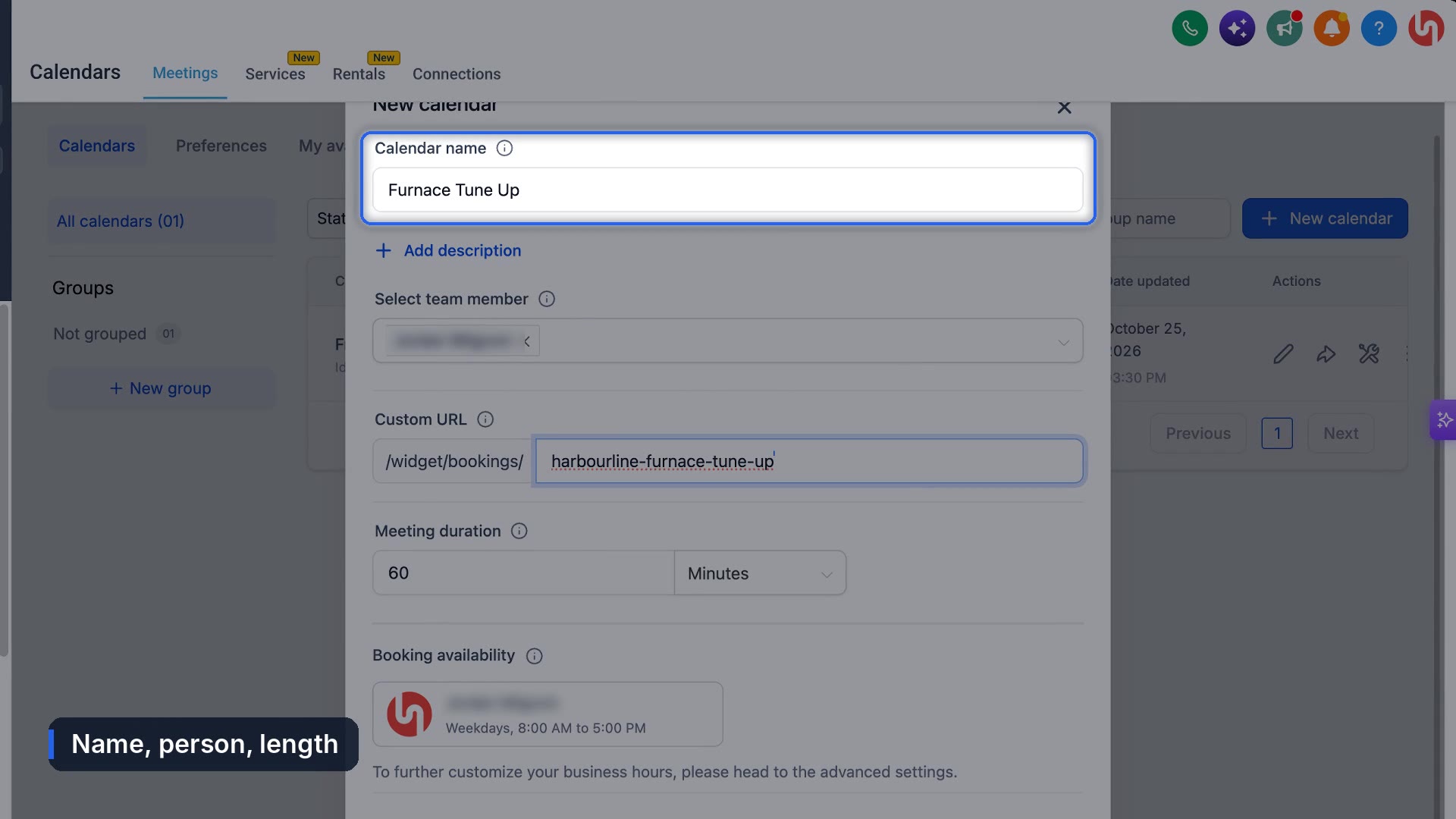
It's live already. The next screen gives you the booking link and an embed code for your website. If you've connected a branded domain, the link uses it, so customers see a name they know.
Which booking rules protect your day?
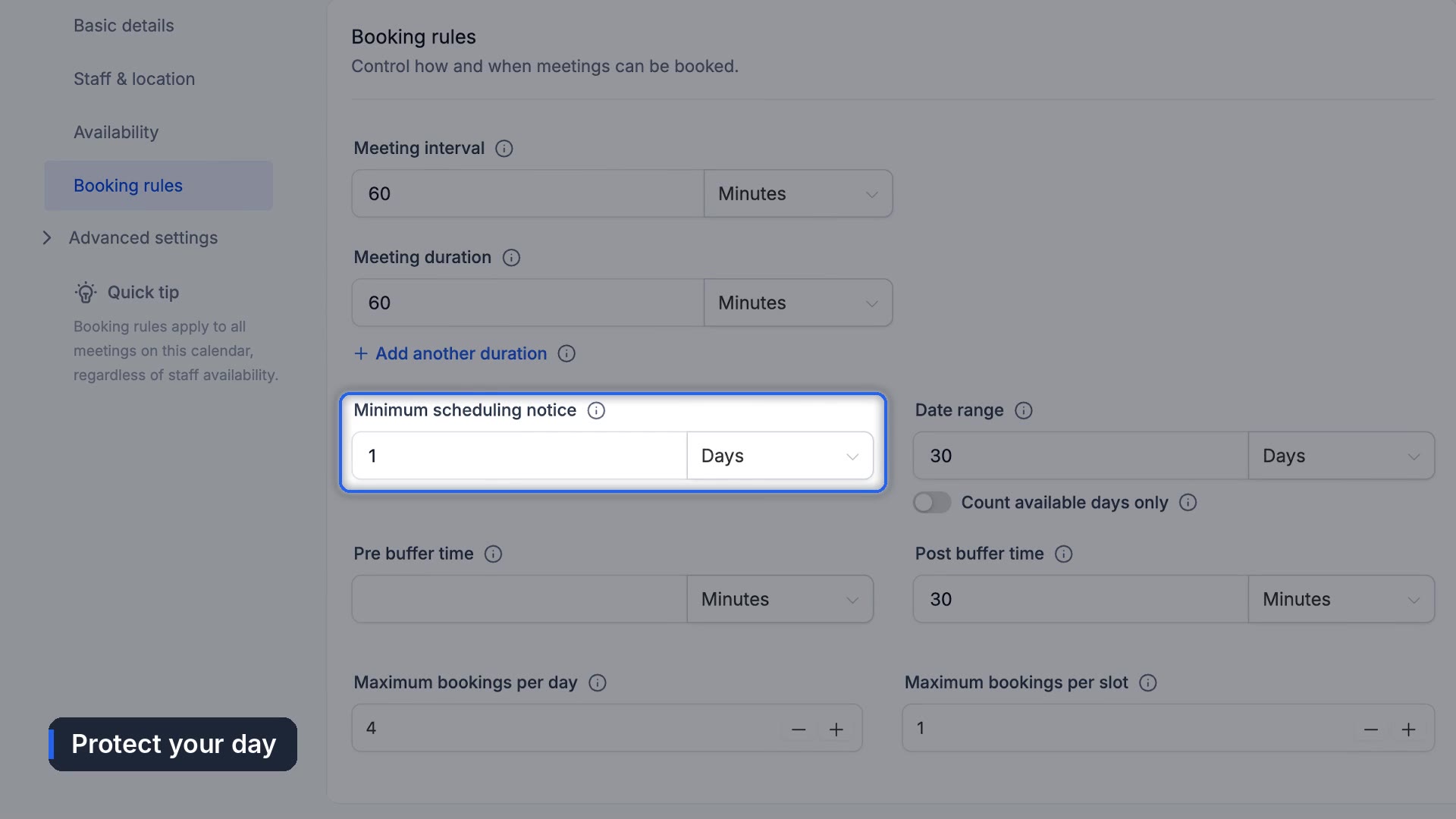
Open the calendar to fine tune it. Availability follows your working hours, so people can only book when you're actually working. Then open Booking rules:
- Minimum scheduling notice: one day stops anyone booking you for an hour from now.
- Date range: 30 days out is plenty for most service work.
- Buffer after each job: 30 minutes gives you time to drive.
- Maximum bookings per day: a cap of four keeps you from getting booked solid.
Under Form and Confirmation, the default form asks for name, phone, email and notes. That's enough for most jobs.
Should you use the built in notifications?
The Notifications tab has built in confirmation and reminder alerts, but they're plain. We leave them alone and send confirmations and reminders through workflows instead, as branded emails and texts. Here's how to set up appointment reminders in GoHighLevel.
How do you test it?
Click Save Changes, then book it the way a customer would. Open your link, pick a day and time, fill in the form and click Schedule Meeting. The customer sees a confirmation with buttons to add it to their own calendar, and the appointment shows up on yours.
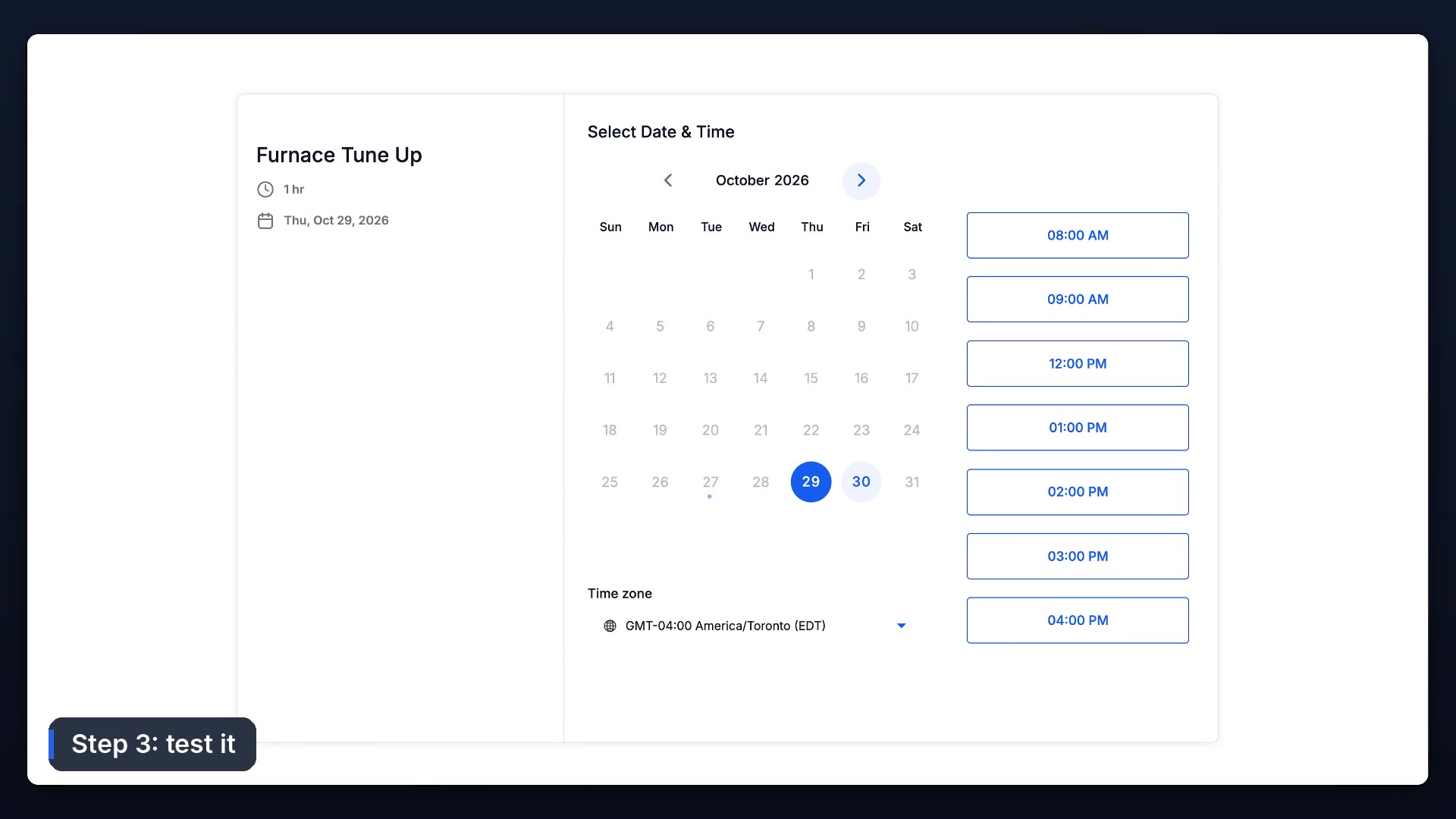
Then put the link everywhere customers look: your website, your Google Business Profile, and your text replies.
The setting that hides your open slots
If customers say there's nothing available when you know you're free, check minimum notice and buffers first. A one day notice hides every slot inside the next 24 hours, and a big buffer can swallow the short gaps between jobs. There's no setting that's right for every business. Start strict, and loosen it if the booking page looks emptier than your week really is.
Booking is half of it. The other half is making sure people show up: see how to reduce no-shows. New to the account? Start with the first 30 minutes of setup.
Frequently asked questions
Where are calendars in GoHighLevel?
Settings, then Calendars, to create and edit them. Your booked appointments show up under Calendars in the left menu.
How do I stop same day bookings?
Set the minimum scheduling notice to one day in the calendar's booking rules.
Can I put the booking calendar on my website?
Yes. Each calendar has a booking link and an embed code you can add to any website.
How do I limit how many jobs get booked per day?
Use maximum bookings per day in booking rules.
Funl is built on HighLevel. Links to HighLevel are referral links, so we may earn a commission if you sign up.