When a workflow "isn't working," the workflow itself is usually fine. It's still in Draft, or the trigger has no filter and is catching the wrong people. Once you know the five parts every workflow has, you can read any of them and find the problem fast.
Quick answer: A GoHighLevel workflow has a trigger (the event that starts it), filters (who gets in), actions that run top to bottom, waits that can branch on what the contact does, and an optional goal that pulls the contact to the end early. Build it under Automation > Workflows, test it, then switch it from Draft to Publish.
What does a real workflow look like?
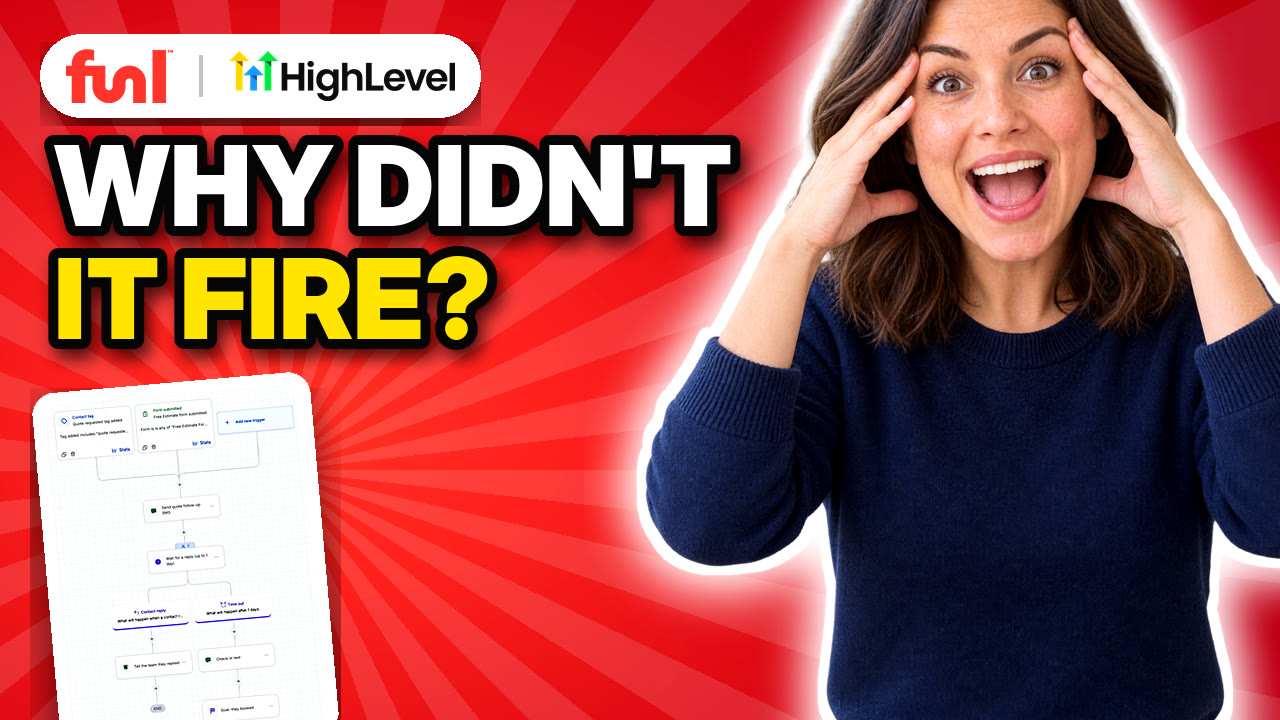
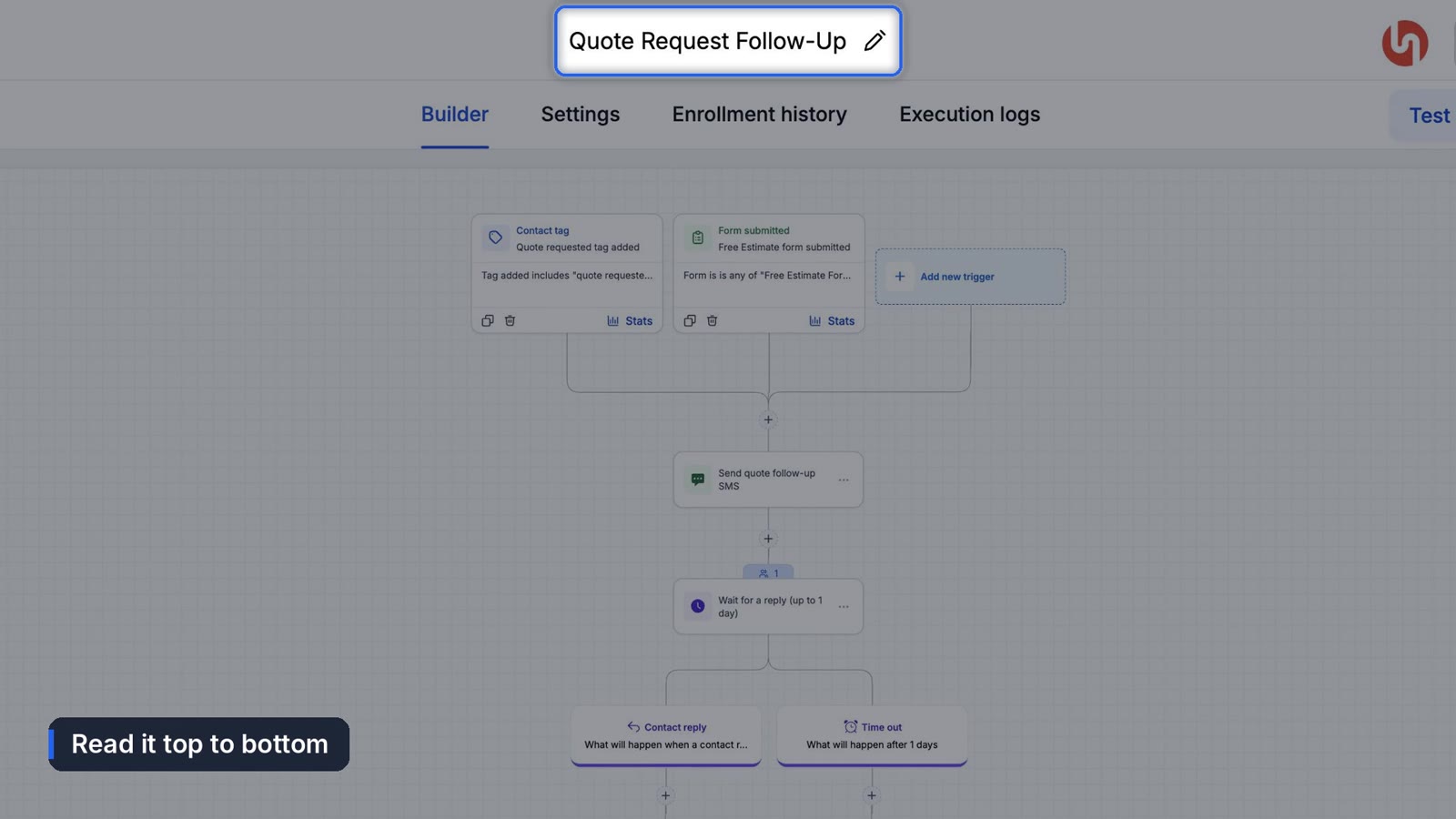
We'll use one example the whole way through. A customer asks for a quote. A text goes out right away. The workflow waits up to a day for a reply. If they reply, the team gets a heads up. If they don't, a friendly check-in goes out. And the moment they book, they're pulled out so nobody chases someone who's already said yes.
What is a workflow trigger in GoHighLevel?
The trigger is the event that starts everything. Ours is Contact Tag, with a filter of tag added equals "quote requested."
Think of the trigger as the door and the filter as the person checking who gets through. Without that filter, any tag at all would start this workflow. That's the mistake behind a lot of "why did this customer get that text?"
You can stack triggers. Ours also starts when someone submits the free estimate form. Any one trigger is enough.
Which workflow settings matter?
Check the Settings tab before you build anything:
- Allow re-entry decides if someone can go through again later, like a customer asking for a second quote next spring.
- Stop on response ends the workflow the moment they reply to one of its messages.
- Time zone controls when waits run.
How do actions and waits work?
Actions run in order. Our first is Send SMS. The action name is just for you, so make it clear. The tag icon in the message box inserts things like the contact's first name.
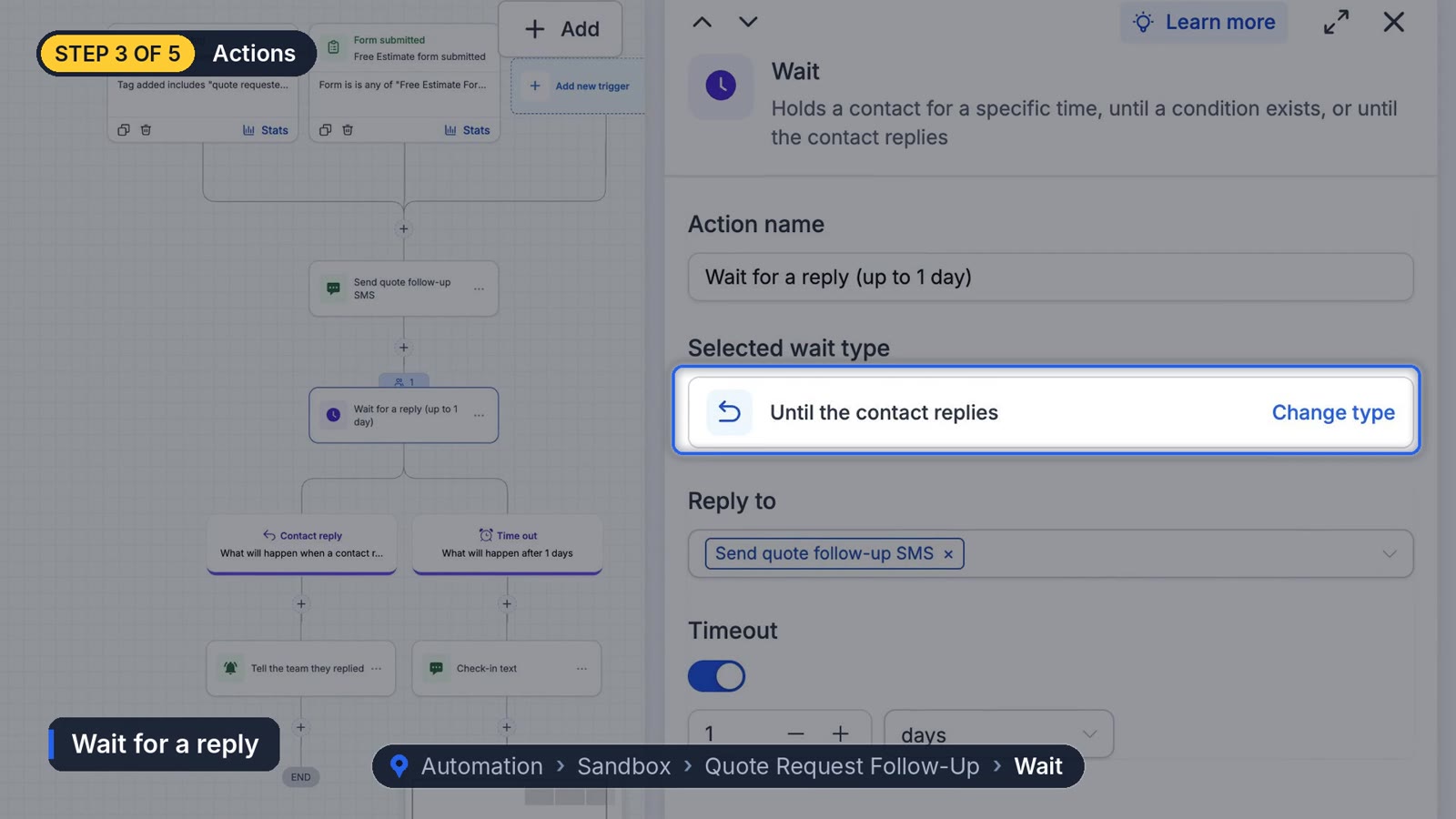
Next is the wait. Click Change type and you'll see every kind: a set amount of time, until a specific date, until a recurring window (every Tuesday, say), or until the contact replies. We chose until the contact replies, pointed it at the text we just sent, and set a one day timeout.
That single wait creates two branches. Contact reply runs if they answer, and ours notifies the team. Timeout runs if a day goes by in silence, and ours sends the check-in text.
What is a workflow goal?
A goal watches for an outcome you want. Ours is an appointment booked on the free consultation calendar with a status of new or confirmed. The moment that happens, the contact jumps to the goal from wherever they are in the workflow. If they reach the goal step without booking, we set it to simply end the workflow.
How do you test a workflow before publishing?
Click Test Workflow at the top, pick a contact, and click Run Test. It runs for real, so use a contact you own, like your own cell.
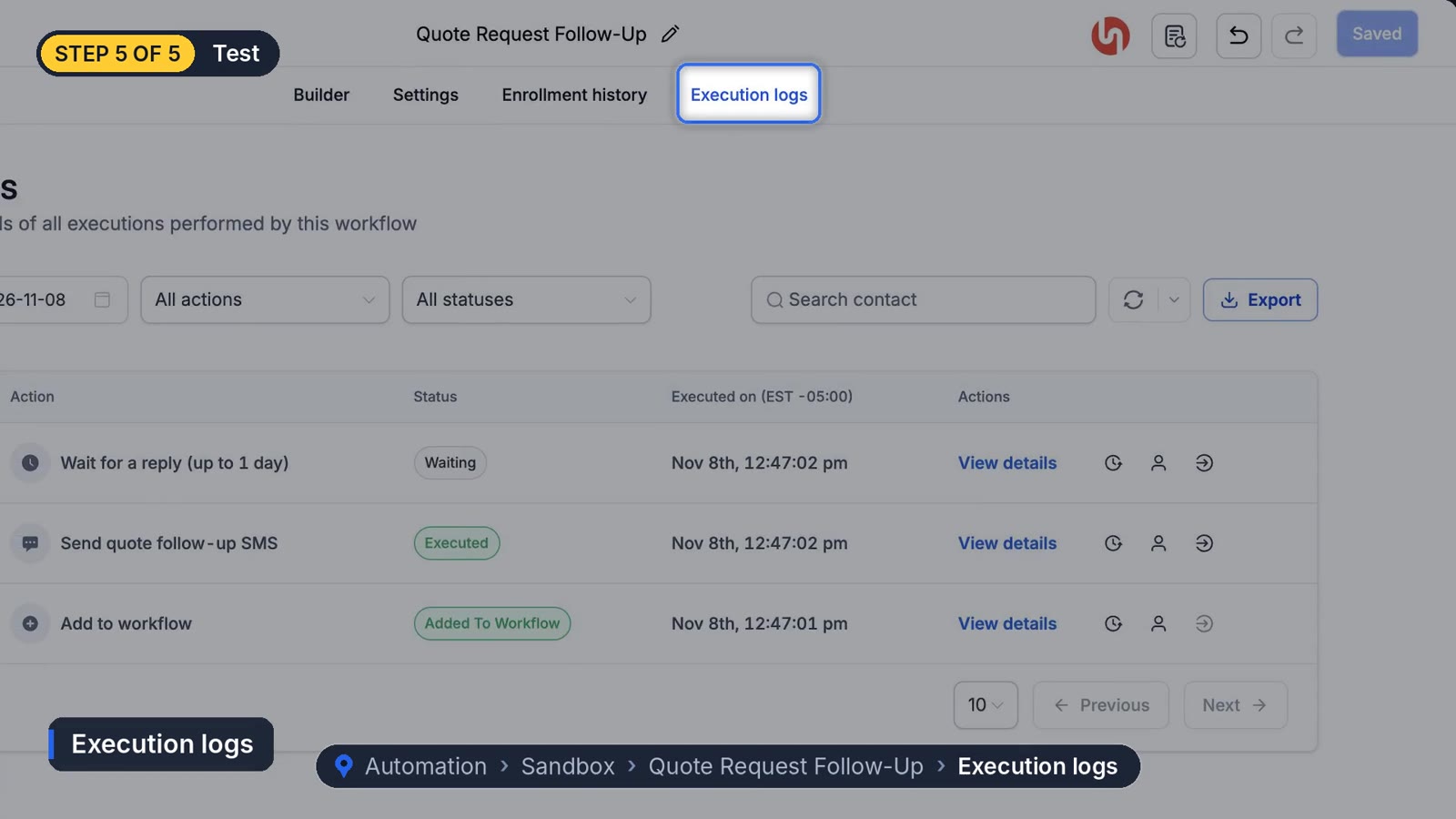
Then open Enrollment History to see who entered, why, which step they're on, and when the next step runs. Execution Logs go one level deeper: every action, its status and the exact time it ran. When someone asks why a text didn't send, this is where you look.
Why isn't my GoHighLevel workflow running?
Check these in order. Is it published? Does the trigger have the right filter? Has the contact already been through it with re-entry turned off? Is a wait still waiting? Execution logs will usually tell you which one it is.
Every so often a workflow looks right, publishes fine, and enrolls nobody, and the reason only shows up when you open the trigger filter a second time. A filter change that didn't save is a good first suspect. If you hit one that none of these explain, HighLevel support can see logs you can't.
Once the pieces make sense, the useful builds are things like missed call text back, appointment reminders and automatic review requests. Each one is the same five parts in a different order.
Frequently asked questions
What is the difference between a trigger and a filter?
The trigger is the event type, like a tag being added or a form submitted. The filter narrows it to the specific tag or form you mean.
Can a workflow have more than one trigger?
Yes. Any one of them will start the workflow.
Why does my workflow say Draft?
New workflows start in Draft and won't enroll anyone. Switch the toggle at the top right to Publish.
Where do I see why a workflow step failed?
Open the workflow's Execution Logs. Each action shows its status and the time it ran, and View Details shows what happened at that step.
Funl is built on HighLevel. Links to HighLevel are referral links, so we may earn a commission if you sign up.