Most happy customers would leave a review. Nobody asked them at the right moment, so they didn't. The fix is to make the ask automatic and tie it to the moment a job is finished.
Quick answer: Set your Google review link in GoHighLevel first. Then build a workflow that starts when an opportunity moves to Won, waits a day, sends the review request by text and email, waits a few more days, and sends one reminder only if the contact hasn't been tagged as reviewed.
Where do you put your Google review link in GoHighLevel?
Do this before anything else. If the link is empty, every request goes out with nothing to click.
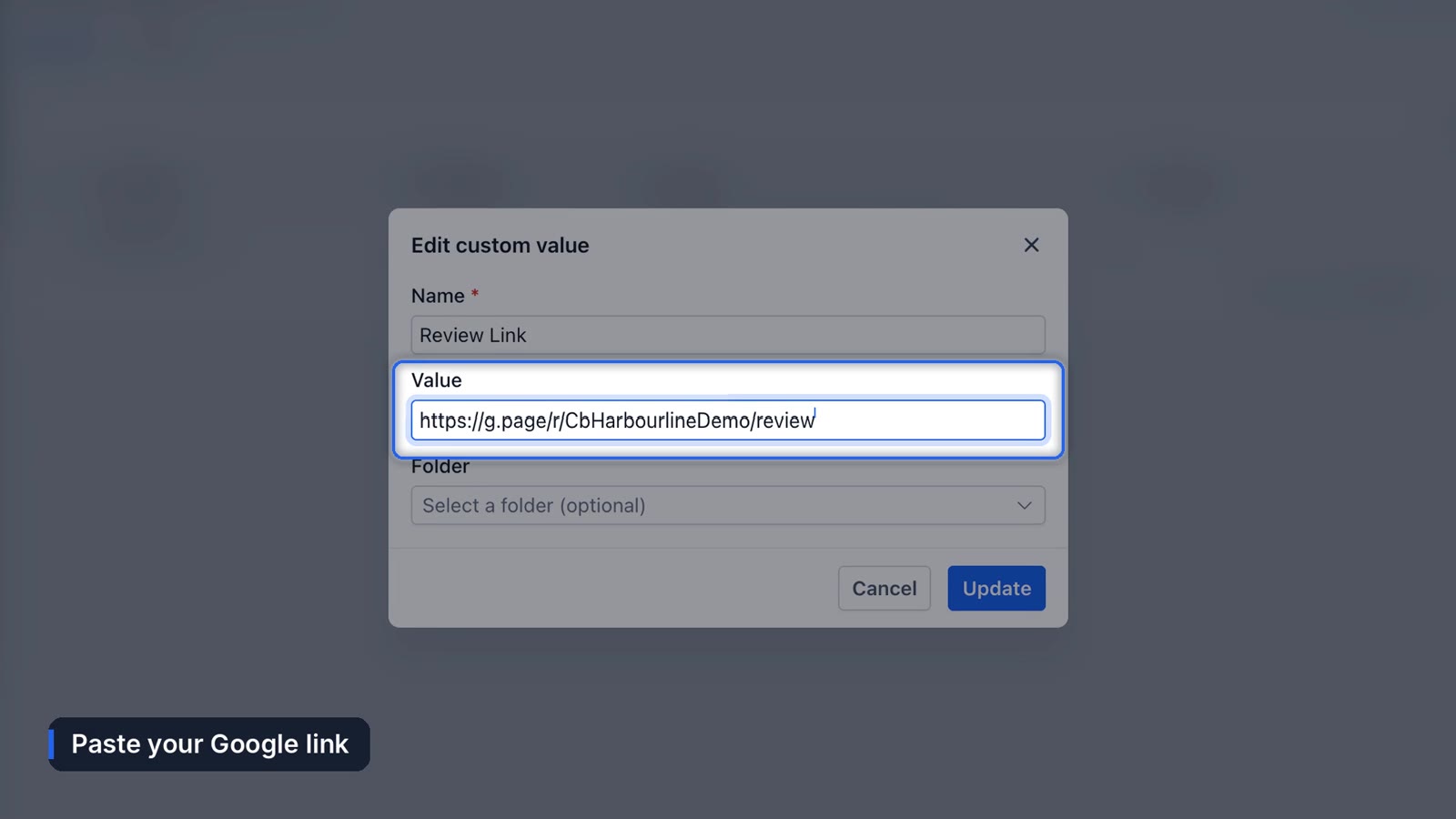
HighLevel's built-in review requests read from Reputation > Settings > Review Link, and their message templates use the {{reputation.review_link}} value, per HighLevel's review request docs. In Funl accounts we also store it as a custom value: go to Settings > Custom Values, search "review," click Edit, and paste the link.
To get the link, open your Google Business Profile and look for Ask for reviews.
How do you automate review requests in GoHighLevel?
1. Trigger it when a job is won
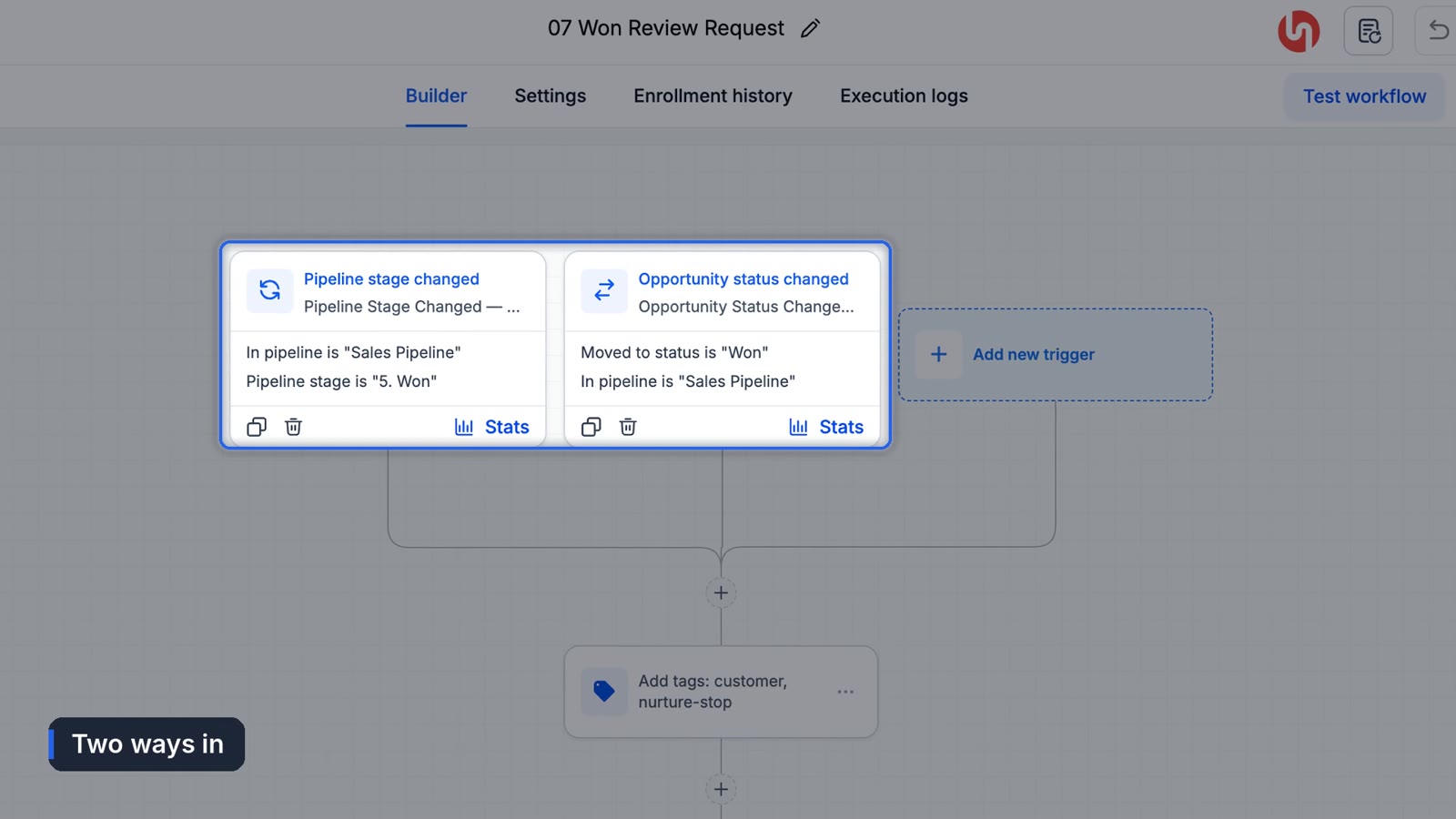
Go to Automation > Workflows. Funl accounts include a workflow called "07 Won Review Request." It has two triggers: the opportunity moves to the Won stage, or its status is set to Won. Either one works, so it doesn't matter how your team closes out a job.
2. Wait a day
Asking the minute the truck leaves feels pushy, and the customer hasn't seen the work hold up yet. A one day wait is a good default. For a restaurant or salon, a couple of hours is fine.
3. Send the request by text and email
Keep it short. Their first name, your business name, and the link.
Hi {{contact.first_name}}, thanks for choosing {{location.name}}. If we did a good job, would you leave us a quick Google review? It really helps. {{custom_values.review_link}}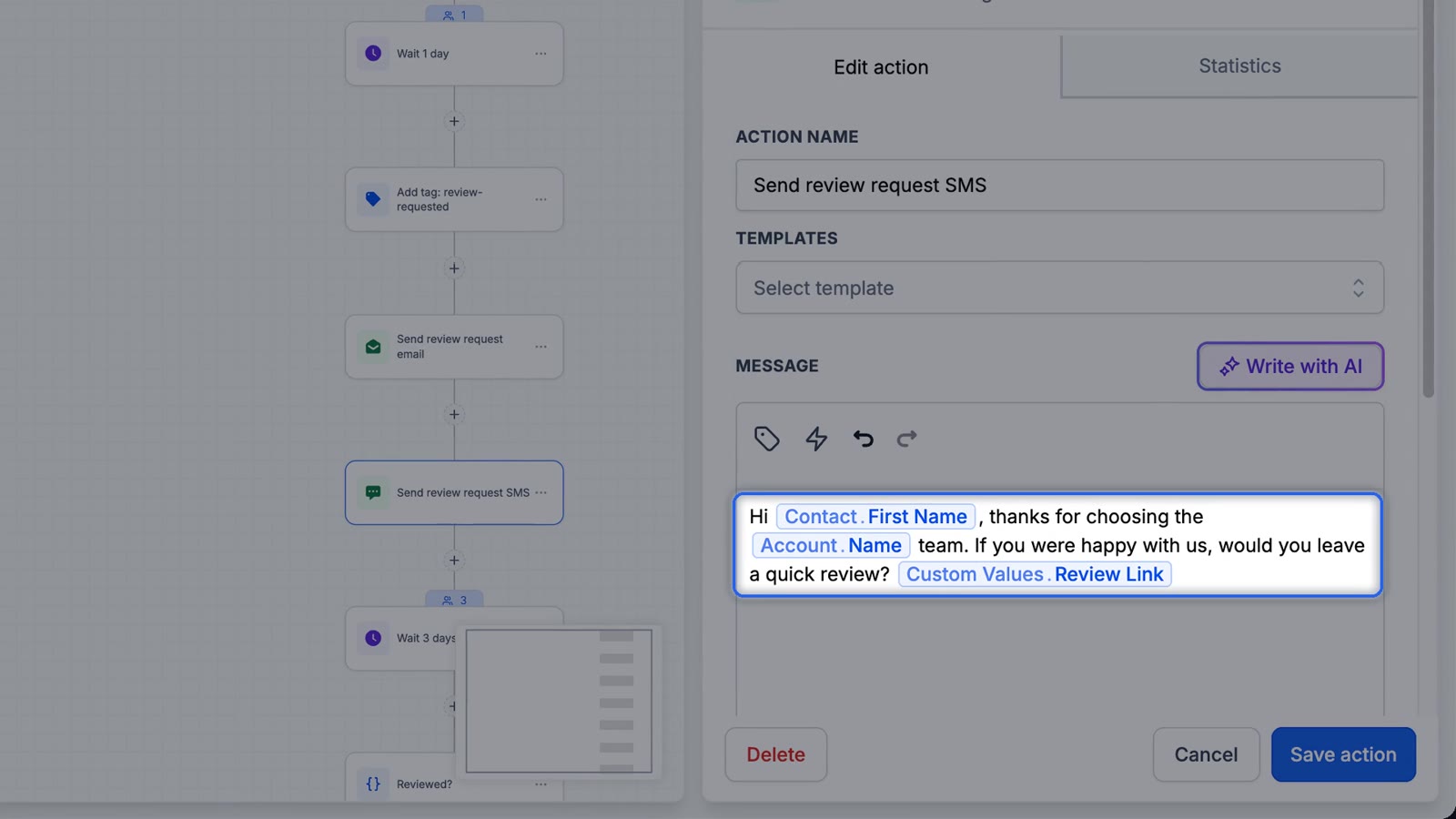
Don't offer a discount or gift in exchange for a review. Google's review policies don't allow incentives, and it can get reviews removed.
4. Remind once, then stop
A few days later, an If/Else checks whether the contact has been tagged as reviewed. If yes, the workflow ends. If not, it sends one reminder email and ends. One reminder is plenty.
5. Test it
Open a card for a finished job, set the status to Won, and click Update. Open the workflow's Execution Logs. You should see the contact enrolled and waiting a day before the request goes out.
Can you send review requests without a workflow?
Yes. Under Reputation > Settings you can turn on SMS and email review requests and set when they send after check-in. You can also send requests by hand from the Reputation tab, one at a time or in bulk. The workflow version wins when you want the ask tied to your pipeline instead of to a manual step someone forgets.
What we can't control
Google sometimes holds or filters reviews, and a customer who swears they left one may not show up for days, or at all. There's no setting for that on our side or yours. The best we've found is to keep asking consistently so a filtered review here and there doesn't change the overall picture much.
Replying to the reviews you get matters too. Here's how to let AI draft review replies. For the bigger picture on getting more reviews as a local business, see how to get more Google reviews on autopilot.
Frequently asked questions
How do I send a Google review request in GoHighLevel?
Set your review link under Reputation settings, then either send a request from the Reputation tab or automate it with a workflow that triggers when an opportunity is marked Won.
When is the best time to ask for a review?
For service businesses, about a day after the job is done. For quick visits like a salon or restaurant, a few hours later.
Can I offer a discount for a Google review?
No. Google's policies prohibit incentivized reviews.
Why are my review requests going out without a link?
The review link value is empty. Add your Google review link in Reputation settings or your review link custom value.
Funl is built on HighLevel. Links to HighLevel are referral links, so we may earn a commission if you sign up.