Missed call text back, Voice AI, appointment reminders by text. None of it does anything until the account has a phone number. It's the first thing we set up for every new Funl account, and it takes about two minutes.
Quick answer: In GoHighLevel, go to Settings > Phone System > Phone Numbers, click Add Number > Add Phone Number, pick your country, filter by area code with Mobile and Toll Free unticked, and click Proceed to Buy. Then open the number's three dot menu, choose Edit Configuration, name it, pick who it rings, and call it from your cell to test.
Where do you buy a phone number in GoHighLevel?
Open Settings, then Phone System. You land on the Phone Numbers tab, which lists any numbers the account already has. Add Number is at the top right. Choose Add Phone Number from the menu (the other options are number pools, verified caller IDs and porting a number in).
How do you buy a local number?
1. Pick your country
The list starts on the United States. If you're in Canada, change the country before you search, or every number you see will be American.
2. Filter by area code
Click Filter, type your area code, and untick Mobile and Toll Free under Number Type so only local numbers show. Click Apply.
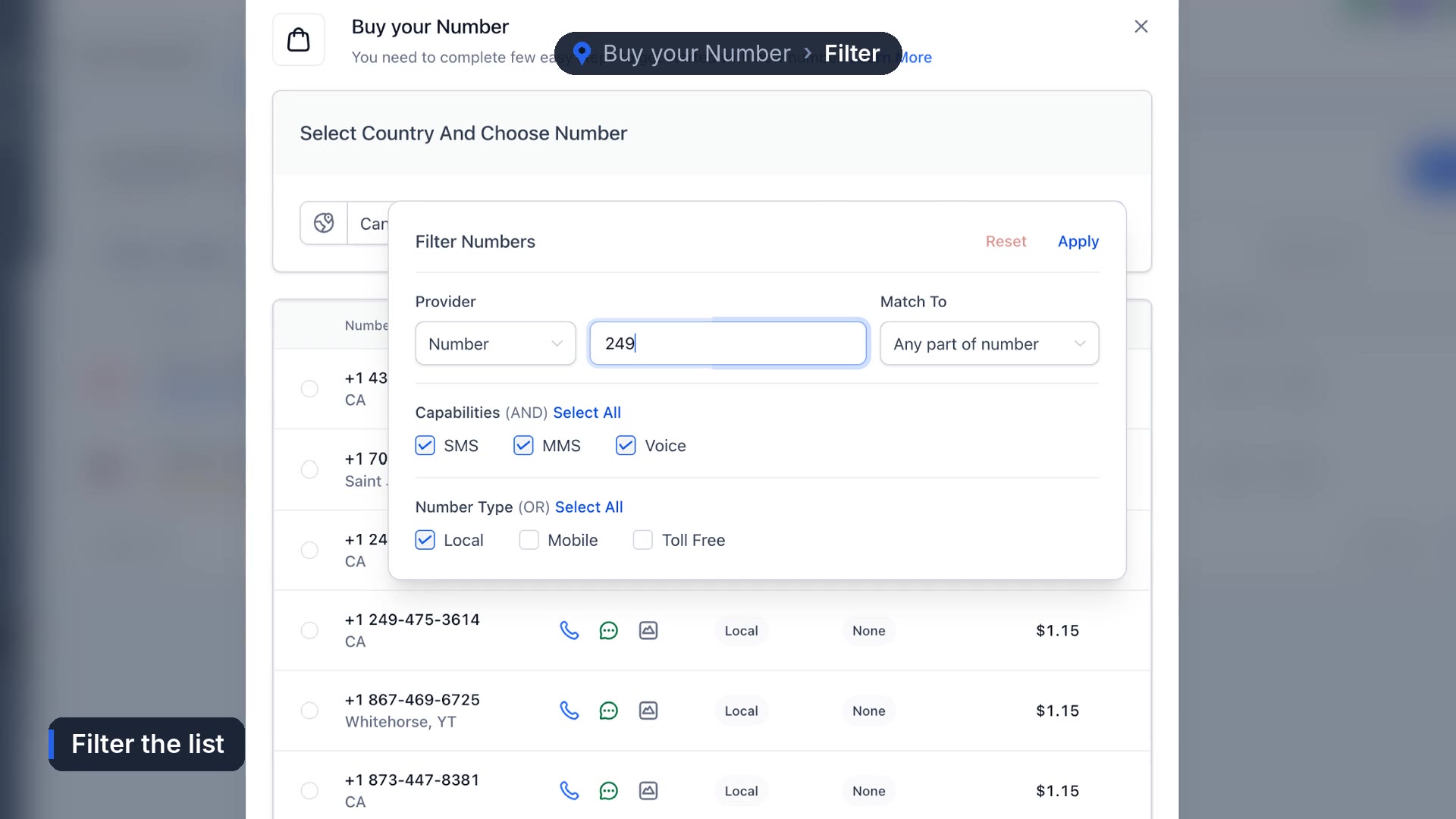
If your area code comes back empty, try an overlay code for the same region. When we set up the Harbourline demo account in Barrie, 705 had nothing available, so we searched 249, which covers the same area. Customers still see a local number.
3. Choose a number and buy it
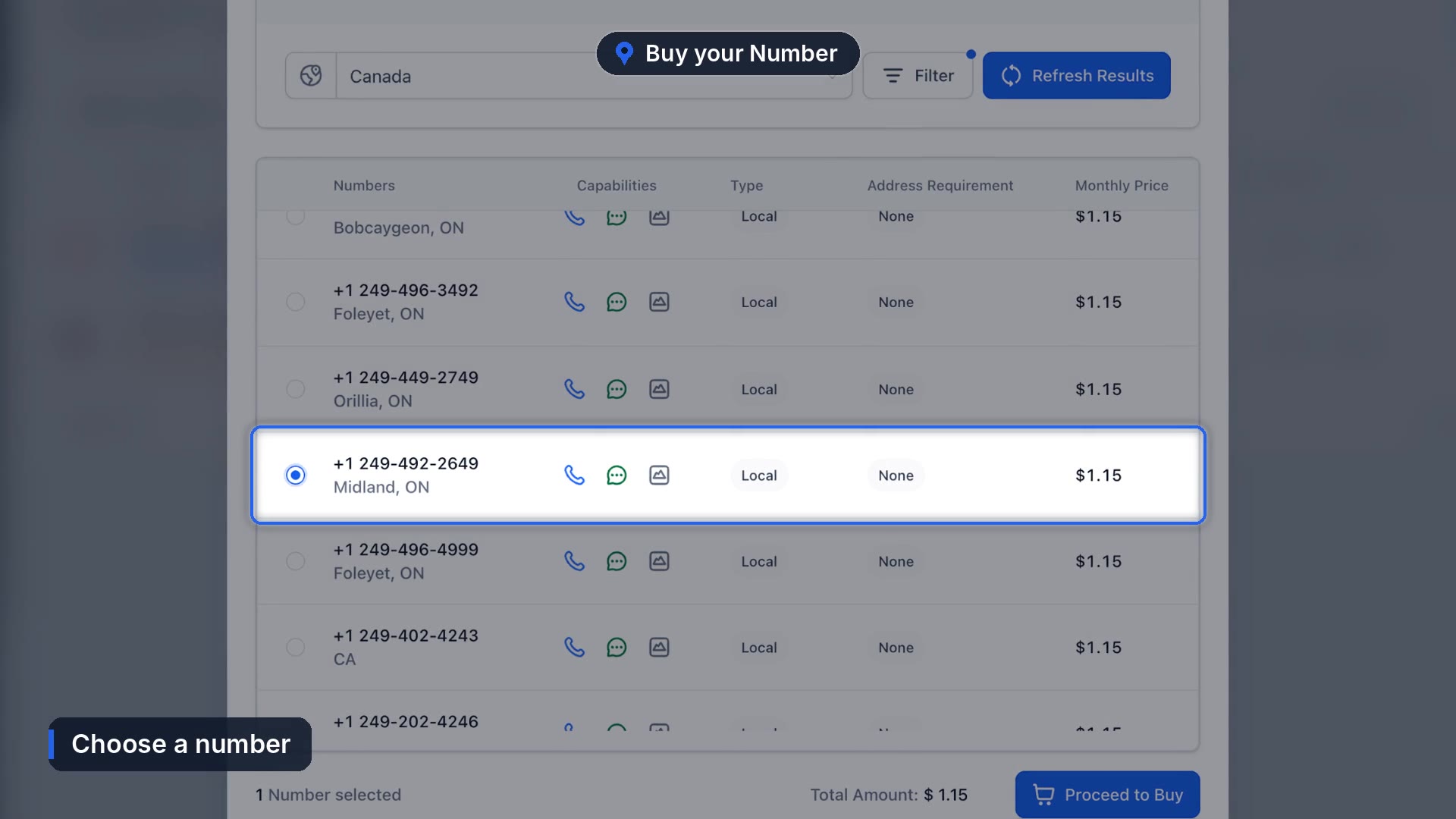
The monthly price is listed beside each number. Pick one and click Proceed to Buy.
4. Get through the ID check
The first time an account buys a US or Canadian number, HighLevel may ask the account owner to verify their identity through Persona: a government ID and a live selfie. Per HighLevel's identity verification docs, it's normally a one time step for each account, and it also covers later texting registrations.
How do you set up the number after you buy it?
Back on the list, click the three dots beside the new number and choose Edit Configuration.
- Name it. Something your team will recognize in the inbox, like Business Line.
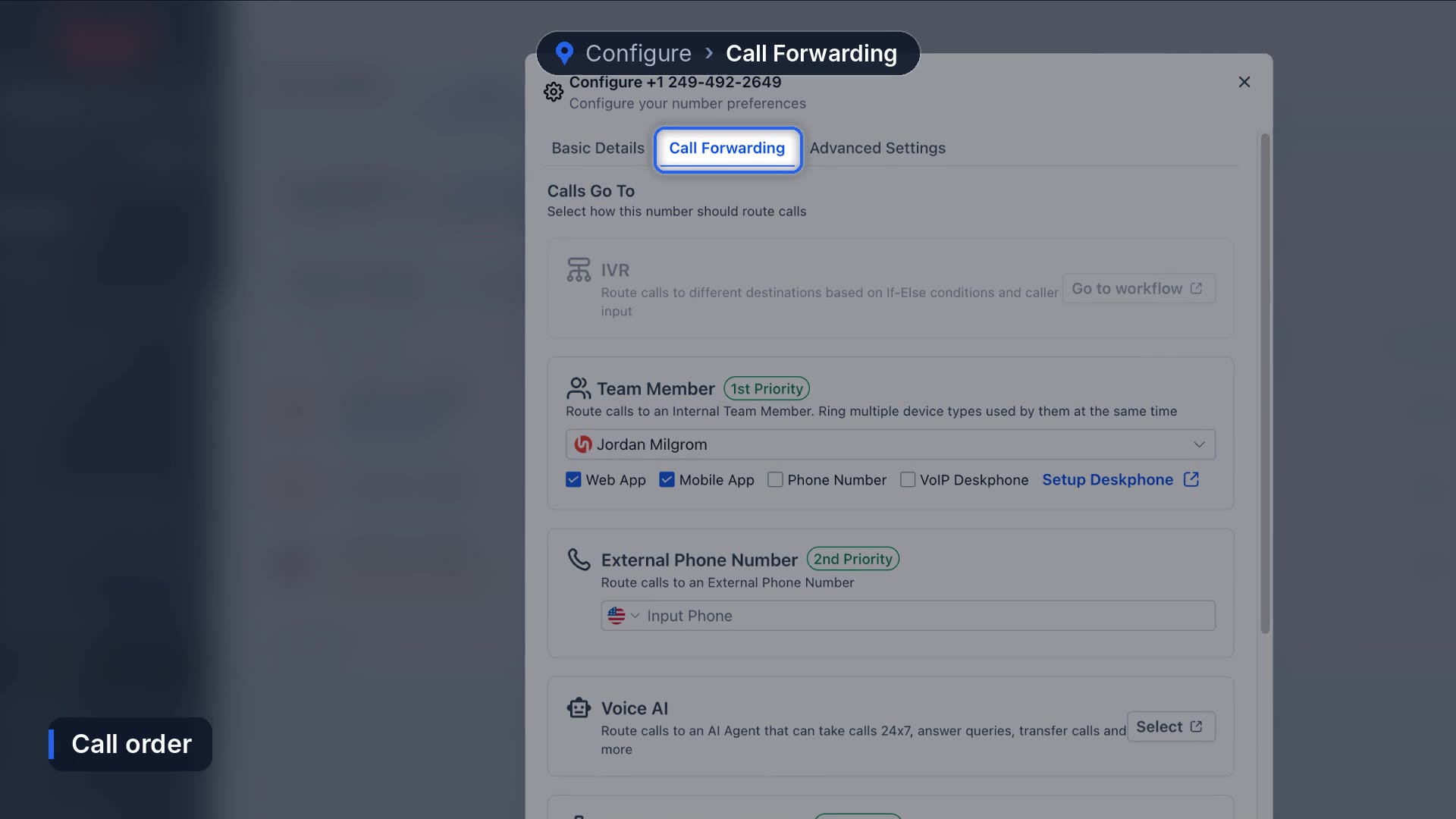
- Calls Go To. Pick the person who answers, and tick both Web App and Mobile App so it rings on their computer and their phone.
- Call Forwarding. This tab shows the order calls ring in: your team member first, then an outside phone number if you add one. You can also send calls to a Voice AI agent here.
Click Save, then call the number from your cell. If it rings where you expect it to, you're done.
Can you text from the number right away?
Usually not. Texting from a standard local number needs carrier registration first, and texts sent before that will often fail. Here's how to register for A2P texting in GoHighLevel, screen by screen. Calls work as soon as the number is configured.
What we're still sorting out
A lot of businesses want to keep the number their customers already have. You can port a number in from the same Add Number menu, but porting depends on your current carrier and can take a while, and we haven't found a way to make that timeline predictable. In the meantime most of our accounts forward their existing line to the new number so calls land in one place.
Once calls ring through, the next step is catching the ones nobody answers. See how to set up missed call text back, or let Voice AI answer the phone for you.
Frequently asked questions
Where is the phone system in GoHighLevel?
Settings, then Phone System. Your numbers are on the Phone Numbers tab, and texting registration is on the Trust Center tab.
Can I get a Canadian number in GoHighLevel?
Yes. Change the country from United States to Canada before you search.
Why is GoHighLevel asking for my ID to buy a number?
US and Canadian numbers require identity verification through Persona the first time an account buys one. It's usually a one time step.
Can I use my existing business number?
You can port it in from Add Number, or forward your current line to a new number while the port is in progress.
Funl is built on HighLevel. Links to HighLevel are referral links, so we may earn a commission if you sign up.