When you're up a ladder or under a sink, you can't answer the phone. Most callers won't leave a voicemail either. They call the next company.
Quick answer: A GoHighLevel IVR phone menu is a workflow. Start it with the Start IVR trigger on your business number, add a Say message greeting, then a Gather Input on Call step with Match Conditions turned on and one branch per key (1 to book, 2 for emergencies, 3 to leave a message). Give each branch a Connect Call or Record Voicemail step. Then add a separate missed call text back workflow on the Call details trigger so anyone you miss gets a text.
What is an IVR phone menu?
IVR stands for interactive voice response. It's the "press one, press two" menu you hear when you call a big company. In GoHighLevel it's built as a workflow like any other, so a two person business can have one too.
Here's the call flow from the video: the call comes in, a short greeting plays, then the menu. Press 1 to book, 2 for an emergency, 3 to leave a message. If nobody picks up, the caller gets a text.
You need a business number in your account first. Here's how to get a business phone number in GoHighLevel.
How do you build the phone menu?
- Trigger. Create a workflow with the Start IVR trigger. It runs when a call comes in. The setting that matters is the phone number filter: pick the number your customers call. Per HighLevel's IVR guide, a number can be tied to one IVR workflow at a time, so each number gets its own menu.
- Greeting. Add a say or play message step and type what callers hear, like "Thanks for calling. Our team is out on jobs right now, so let's get you to the right place." Keep it short. People hang up on long greetings.
- Menu. Add Gather Input on Call. In the text to say, read out the options: press 1 to book a service visit, press 2 if it's an emergency, press 3 to leave a message. You can pick the voice here too.
- Branches. Scroll down and turn on Match Conditions. Give each branch a name and the key the caller presses: Book a visit on 1, Emergency on 2, Leave a message on 3. Click add branch for each.
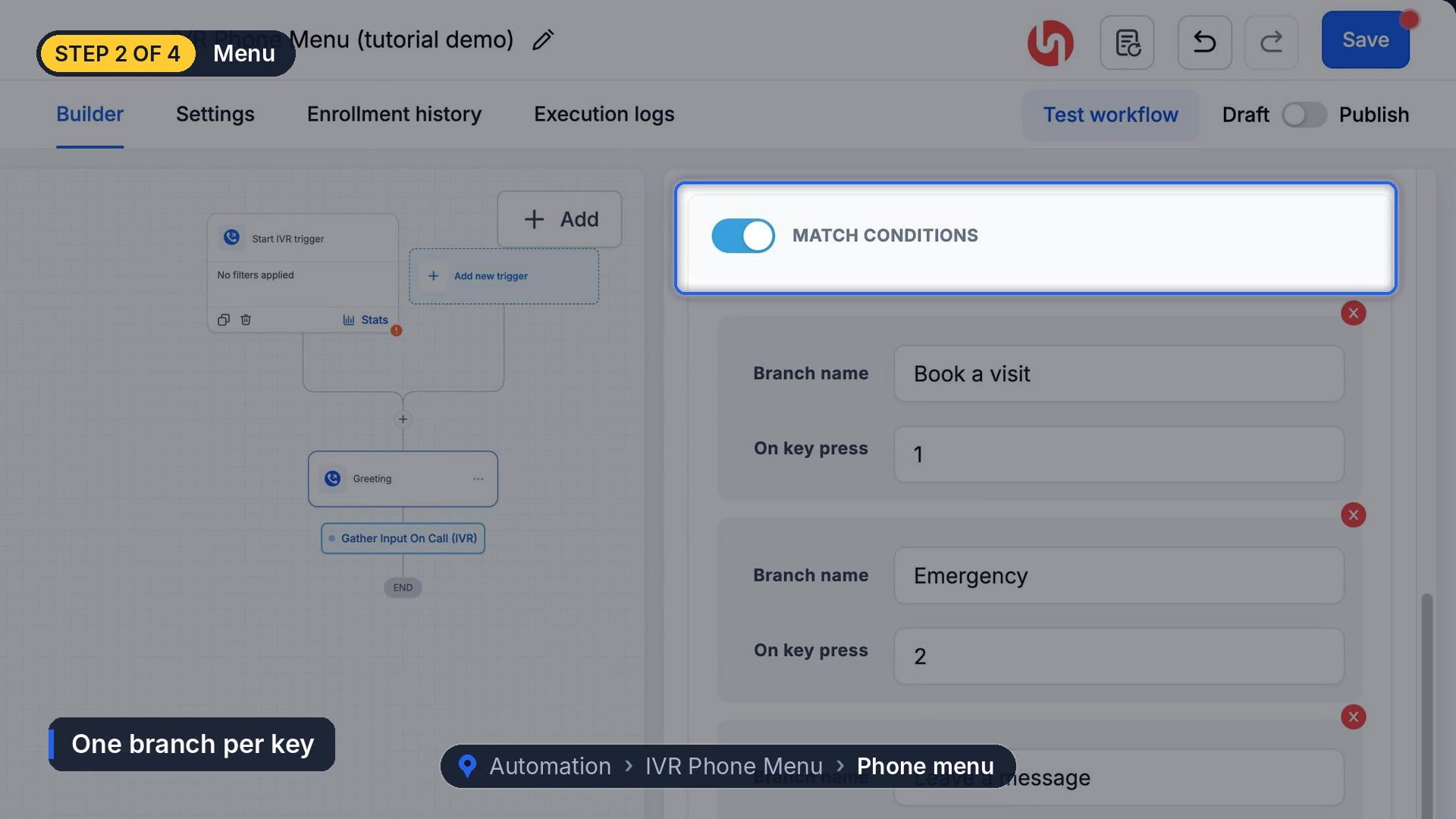
Save it and the builder draws a branch for each key, plus a None branch for callers who don't press anything.
What should each branch do?
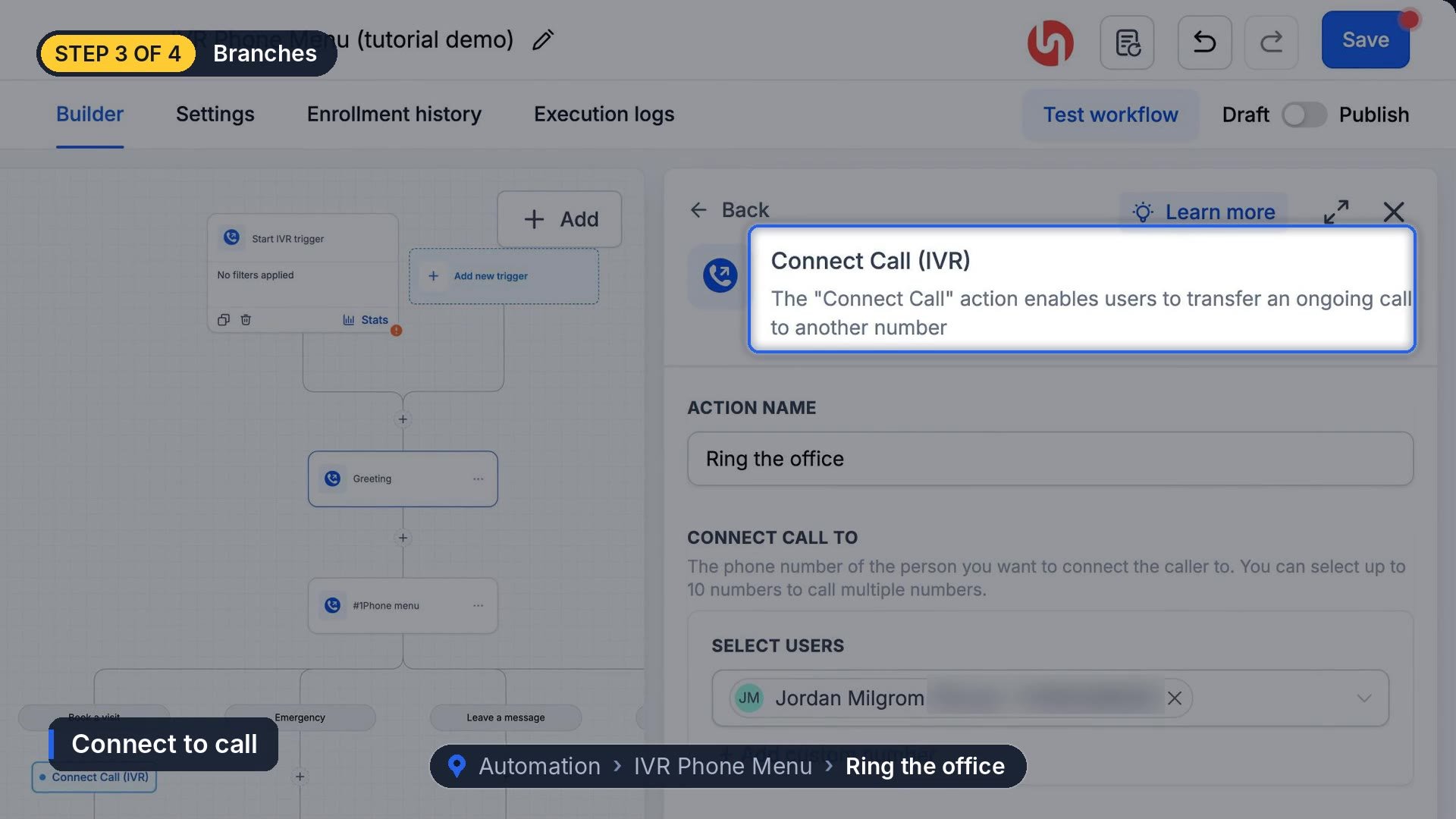
- Book a visit: add Connect Call and choose who it rings, a team member or a custom number like a cell. You can ring up to 10 numbers at once, so whoever is free picks up.
- Emergency: the same step, ringing the on call tech.
- Leave a message: add Record Voicemail. Leave the beep on. By default the recording stops after 5 seconds of silence. The voicemail shows up in Conversations with the caller's number.
Voicemails and texts land in one place. Here's how to use the unified inbox.
How do you text back callers you miss?
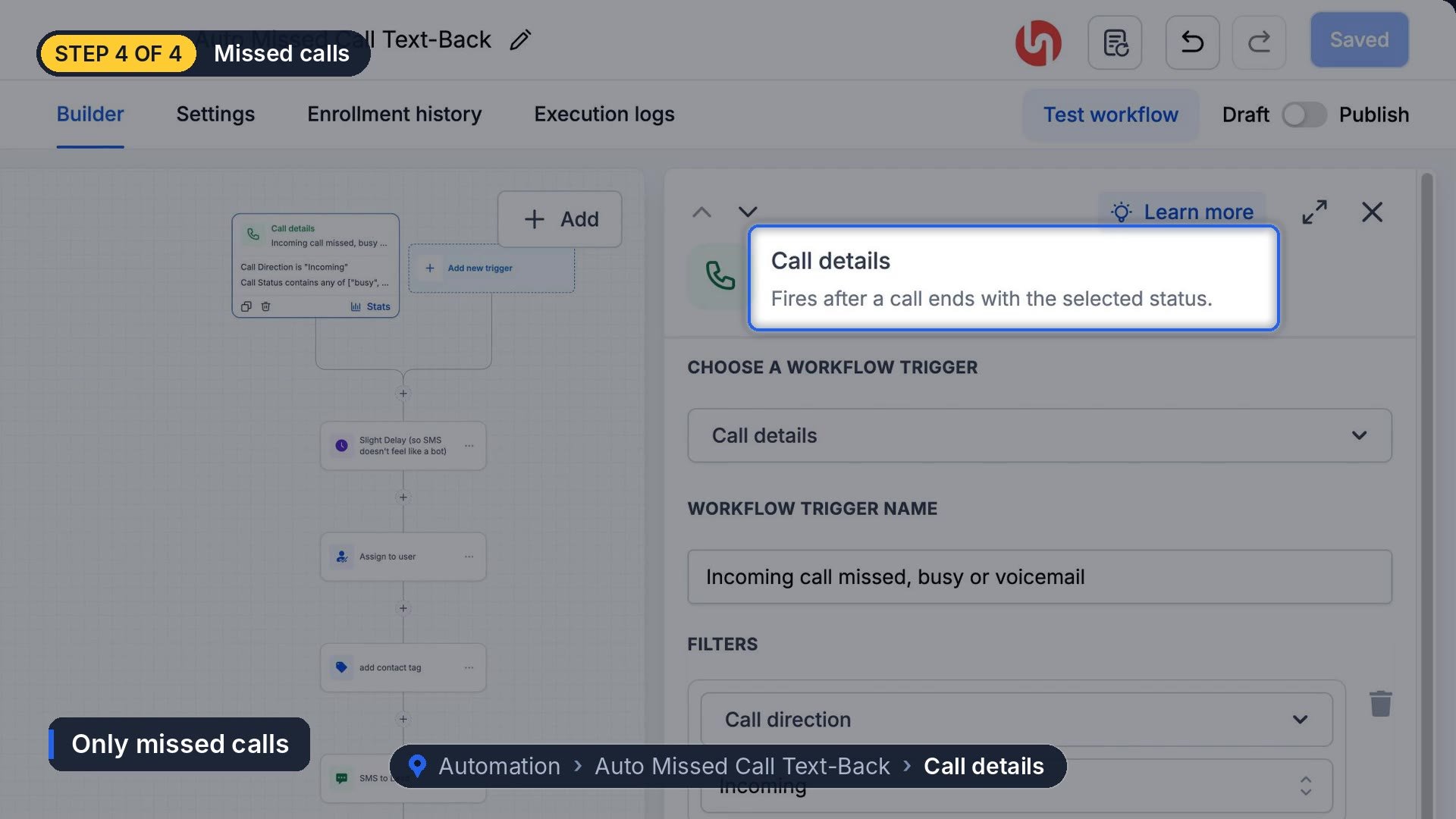
That's a separate workflow. In the video it's called Auto Missed Call Text-Back.
- Use the Call details trigger with two filters: call direction is incoming, and call status is busy, voicemail or no answer. It only fires on calls you miss.
- Add a short wait so the text doesn't feel like a bot.
- Assign the contact to someone on your team and tag it missed call.
- Send the text, something like: "Hi, sorry we missed your call. What can we help you with? Reply here and we'll get right back to you."
- Send your team a notification so someone actually calls back.
The full walkthrough is in how to set up missed call text back in GoHighLevel.
How do you test it?
Both workflows stay drafts until you switch them to Publish. Turn them on, call your business number from your own phone, and press each key. Then let one call ring out to check the text back.
Where an IVR falls short
A menu routes calls. It doesn't answer questions. If nobody on the branch picks up, the caller still ends up in voicemail or a text. If you want something that talks to callers and books the job, look at an AI receptionist with Voice AI.
A couple of limits from HighLevel's IVR guide are worth knowing: the built in text to speech voice is US English only, so a French greeting means uploading your own recording. And we can't tell you how many callers will sit through a menu rather than hang up. Keep it to three options and test it on a few real people before you trust it.
Frequently asked questions
What does IVR mean in GoHighLevel?
Interactive voice response, the press one, press two phone menu. In GoHighLevel it's a workflow that starts with the Start IVR trigger.
How many numbers can a GoHighLevel IVR ring at once?
The Connect Call step can ring up to 10 numbers at the same time.
Where do IVR voicemails go?
To Conversations, with the caller's number.
Can I have a different menu for each phone number?
Yes. Each number can be tied to its own IVR workflow.
Funl is built on HighLevel. Links to HighLevel are referral links, so we may earn a commission if you sign up.