
A Facebook lead fills out your form, then goes back to scrolling. By the time someone on your team calls the next morning, they've forgotten they asked.
Quick answer: To text every Facebook lead in GoHighLevel, connect Facebook in Settings > Integrations, then build a workflow with the Facebook Lead Form Submitted trigger. Add an SMS step that goes out right away, a Create Opportunity step in your sales pipeline's New Lead stage, and a tag. Then turn on SMS in your Conversation AI agent's Deploy tab so it answers replies and books the job. Test it on your own phone and publish.
How do you connect Facebook lead ads to GoHighLevel?
Facebook has to be connected or the leads never reach your account.
- Go to Settings > Integrations.
- Click Connect on the Facebook card and pick the page that runs your ads.
- Instagram has its own card if you advertise there too.
How do you build the lead ad workflow with AI?
Go to Automation and open Ask AI from the sparkle icon. Describe the whole thing in one message: which form starts it, the exact text to send, which pipeline stage to put the lead in, a tag so you know they came from an ad, and that the workflow should stay unpublished.
Ask AI hands the job to Workflow AI and the draft appears in the panel. In the video it also added a step that passes the chat to an AI agent. That step uses a paid add-on, so we deleted it. You don't need it, because the agent picks up replies on its own once it's deployed on SMS (below).
Click Open in automation to edit and check every step yourself. This is the part people skip.
What should each step do?
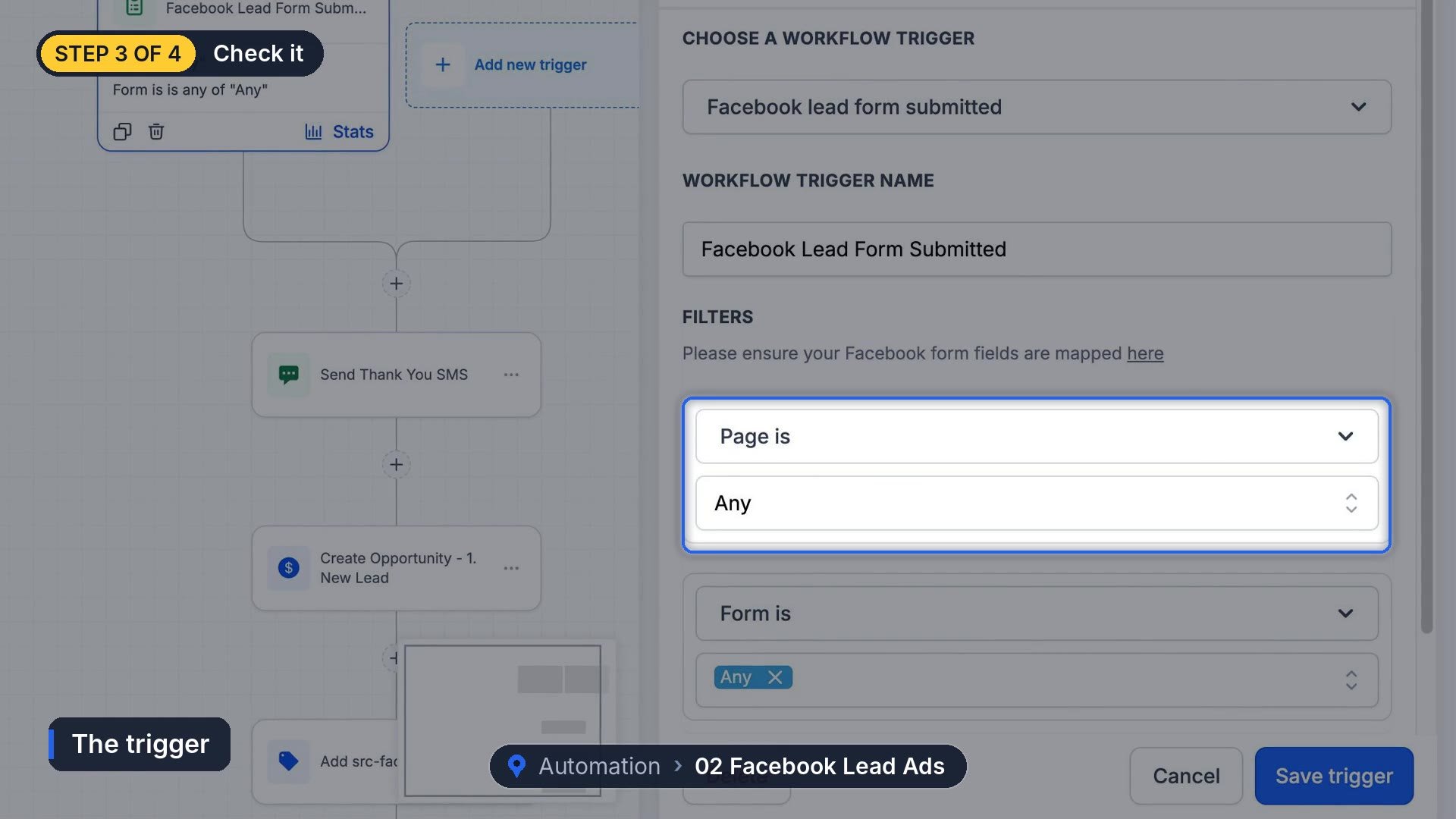
- Trigger. Click it and confirm it's Facebook lead form submitted. Page and form both set to Any catch every lead ad you run. To limit it to one campaign, pick that form.
- Text. It goes out the moment the form lands and uses their first name. Keep it short and end with a question, because people answer questions.
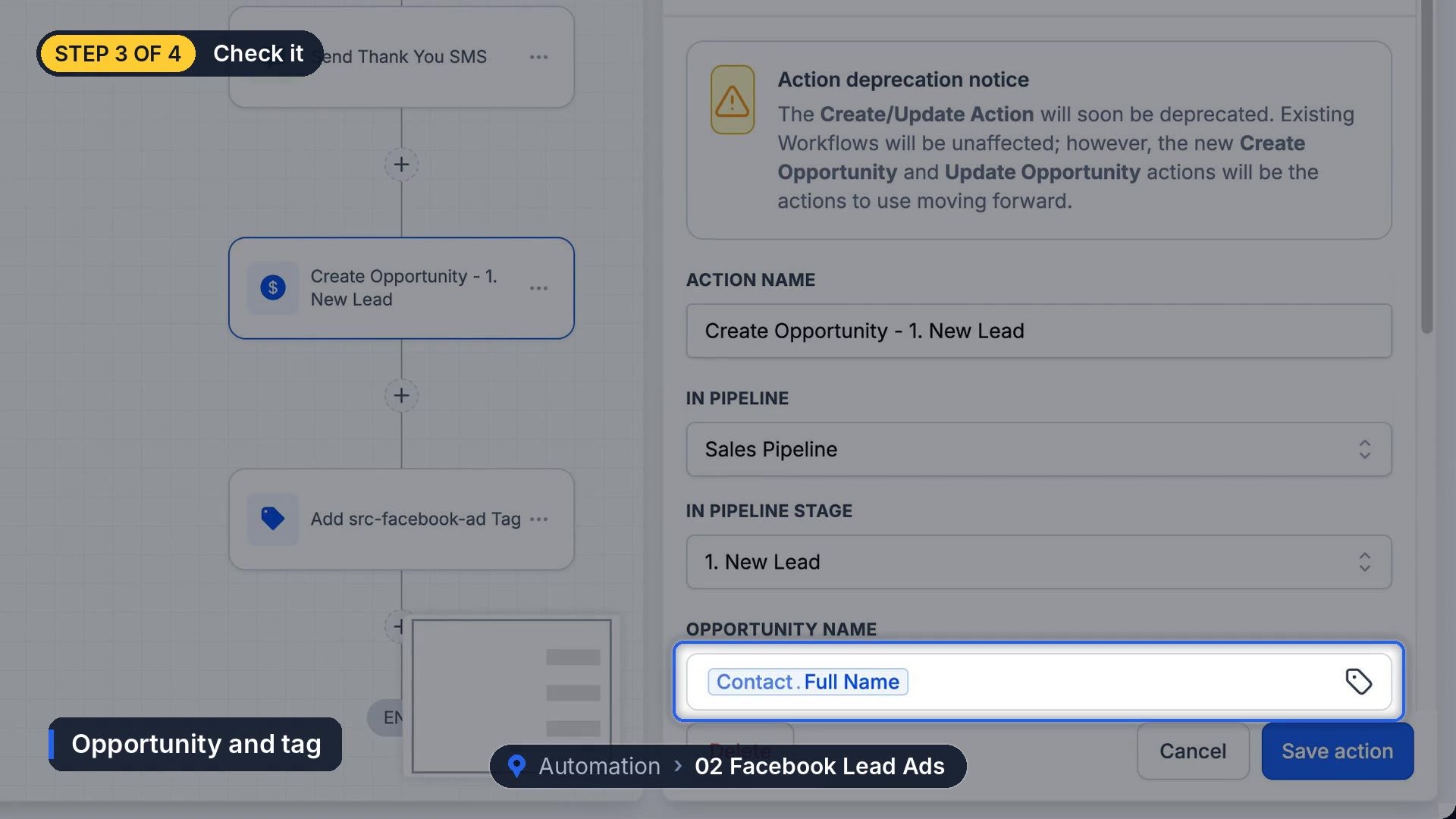
- Create Opportunity. It adds a deal to your Sales Pipeline in the New Lead stage, named after the contact. Every ad lead lands on your board instead of in an inbox.
- Tag. A tag like src-facebook-ad lets you count later how many jobs came from Facebook.
Haven't set up a pipeline yet? Here's how to set up a sales pipeline in GoHighLevel.
How does the AI agent answer the replies?
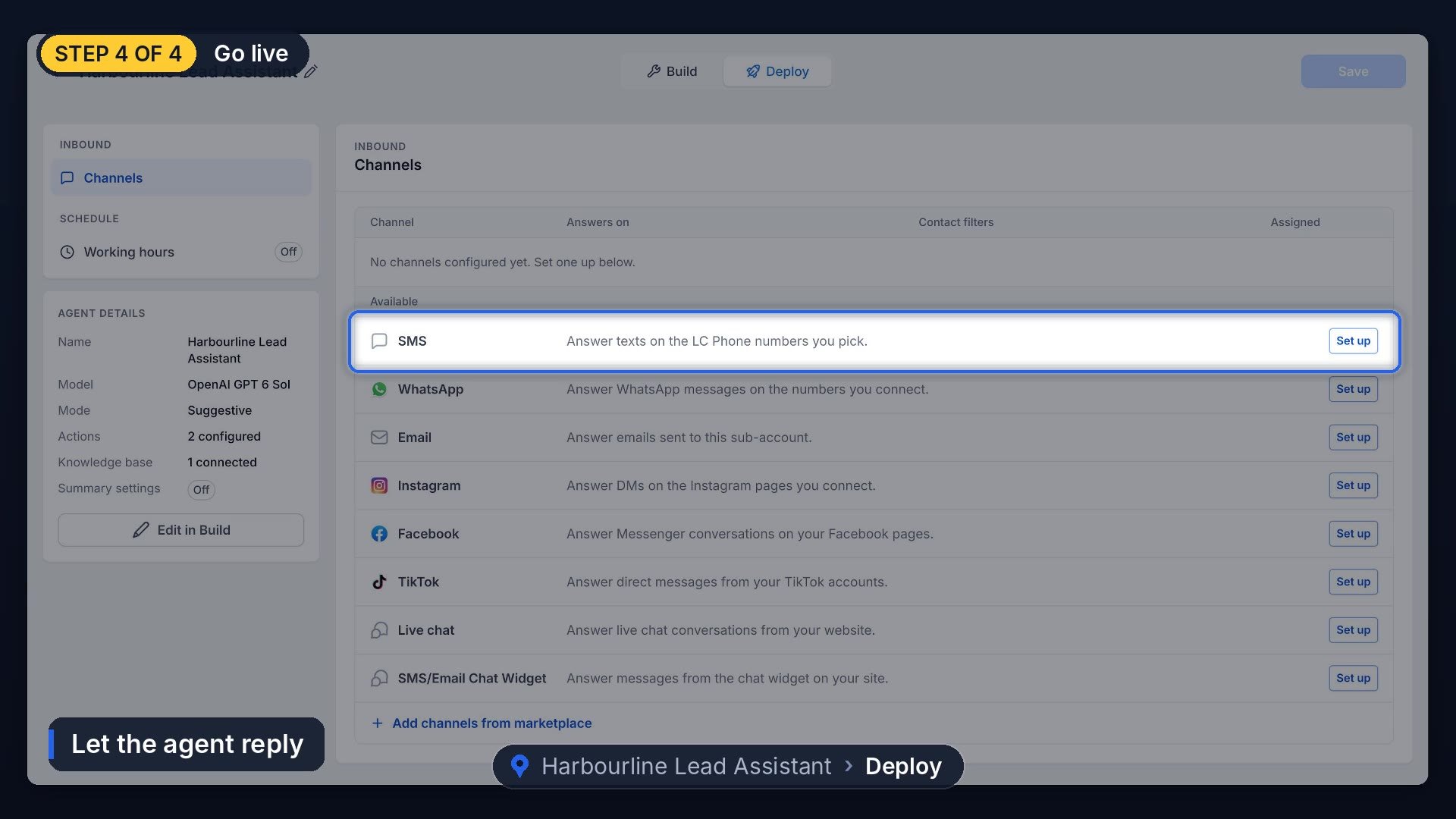
Open your Conversation AI agent, go to Deploy, and set up SMS. Now when a lead replies to that first text, the agent answers their questions and books the job.
If you don't have an agent yet, start with how to set up Conversation AI.
How do you test it before it goes live?
Click Test workflow and run it on a contact you choose. Send the first one to your own phone. When it looks right, switch the workflow from Draft to Publish. From then on it runs on every lead, day and night.
What this setup doesn't cover
The first text is instant. Everything after it depends on the lead replying. If they don't, this workflow does nothing more. Pair it with a follow up sequence that keeps going until they book, like the one in speed to lead follow up, which picks up anything in the New Lead stage.
There's a setup detail outside GoHighLevel too. Facebook's lead form has to be connected to the right page, and HighLevel's docs note that a page admin may need to accept Meta's Lead Ads terms before leads flow. If test leads don't arrive, check that first.
And we can't promise a booking rate. Texting fast makes it more likely you reach people while they still care. Whether they book depends on your offer and your agent's answers.
Frequently asked questions
Which trigger do Facebook lead ads use in GoHighLevel?
Facebook Lead Form Submitted. You can catch every page and form, or filter to one form.
Do I need a paid add-on to let AI reply to Facebook leads?
Not for this setup. Deploy your Conversation AI agent on SMS and it answers replies to your first text.
Why aren't my Facebook leads showing up?
Check that Facebook is connected in Settings > Integrations to the page running the ads, and that the lead ads terms have been accepted for that page.
Can I track how many jobs came from Facebook?
Yes. Add a tag in the workflow, then filter contacts or opportunities by it.
Funl is built on HighLevel. Links to HighLevel are referral links, so we may earn a commission if you sign up.