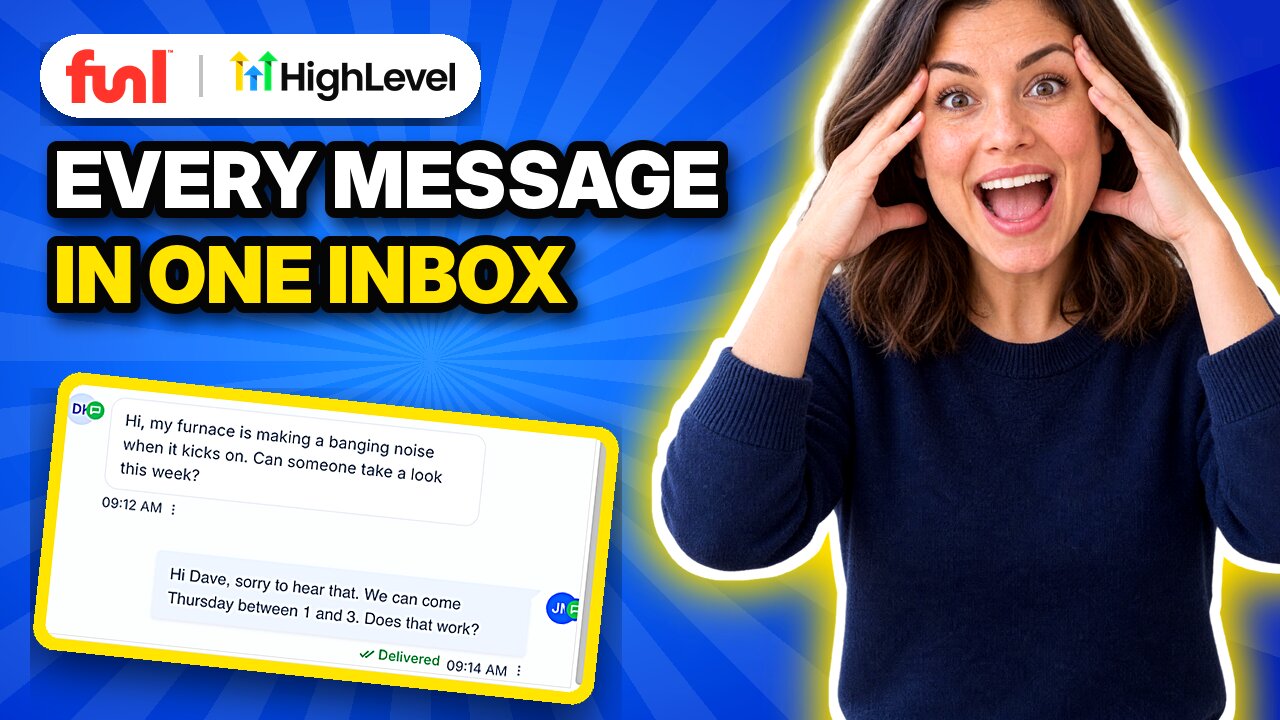
A customer texts at 7:40 in the morning, another messages your Facebook page at lunch, and a third emails a question about a quote. If those live in three apps, one of them gets missed, and a missed message can cost you the job.
Quick answer: In GoHighLevel, click Conversations. Texts, Facebook and Instagram messages, emails and more land in one inbox. Open a conversation, check the channel in the composer, and reply. Save answers you type often as snippets, use internal comments to loop in your team, set an owner to hand a conversation off, and use filters when the inbox gets busy.
How is the GoHighLevel inbox organized?
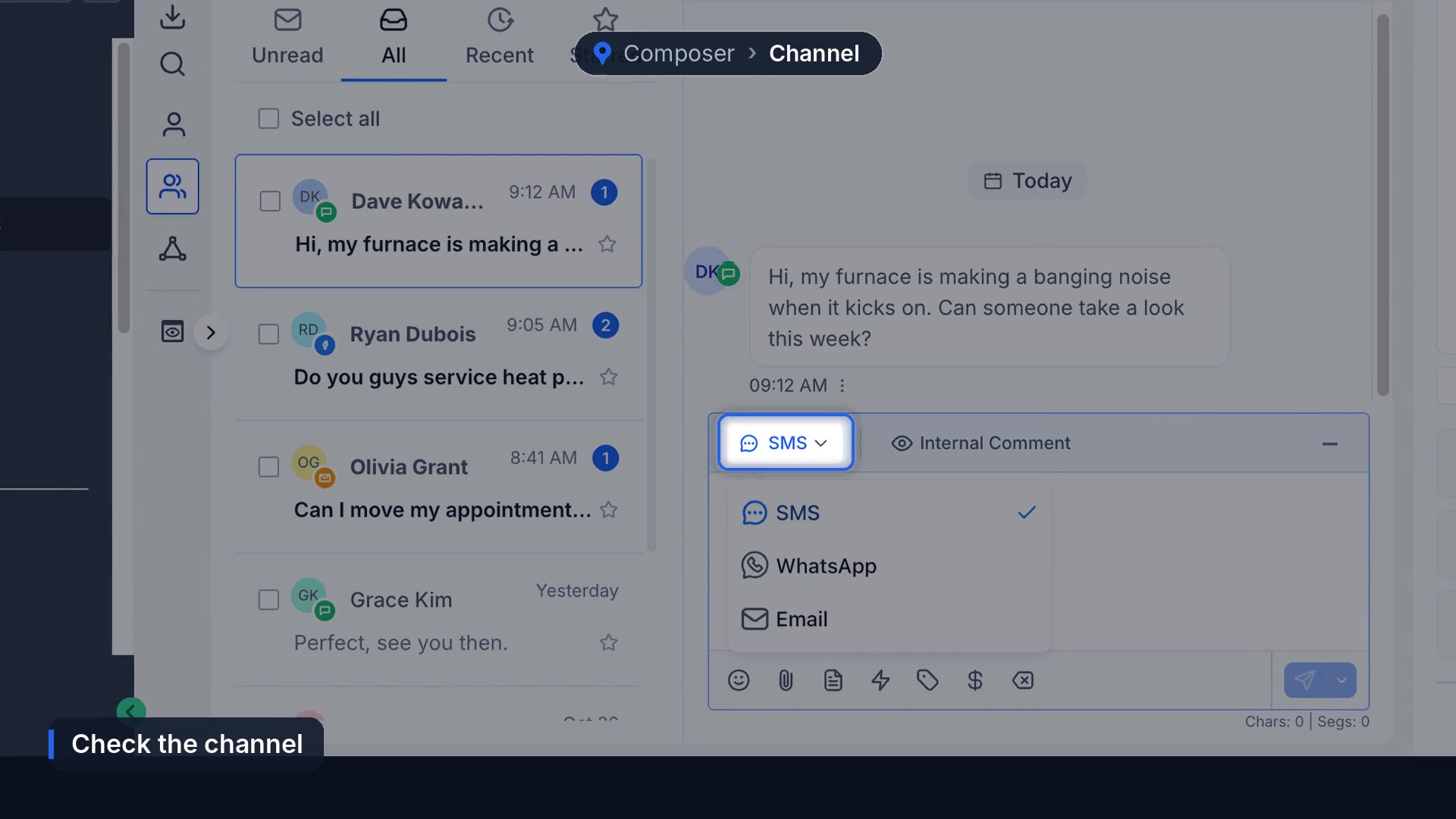
Click Conversations in the left menu. Team inbox shows every conversation for the business. The person icon above it is My inbox: just the ones assigned to you. Across the top, Unread shows what nobody has opened, All shows everything, then Recent and Starred.
The small badge on each contact picture tells you the channel. Green is a text, blue is Facebook, and orange is email.
How do you reply on the right channel?
Open the conversation, then check the channel at the top of the composer before you type. Click it to switch between SMS, WhatsApp and email. If they texted you, reply by text. Type your reply and hit Send. When it shows delivered, it's on their phone.
How do you save time on replies?
Typing the same answers all day? Save them as snippets. Open the Snippets tab, click New Snippet, give it a name and the message, and save. It's ready to drop into any reply.
If an AI agent should answer some of these for you, see how to set up Conversation AI.
How do you work an inbox as a team?
Switch the composer to Internal Comment and type @ to tag someone. Comments show up in yellow, and the customer never sees them.
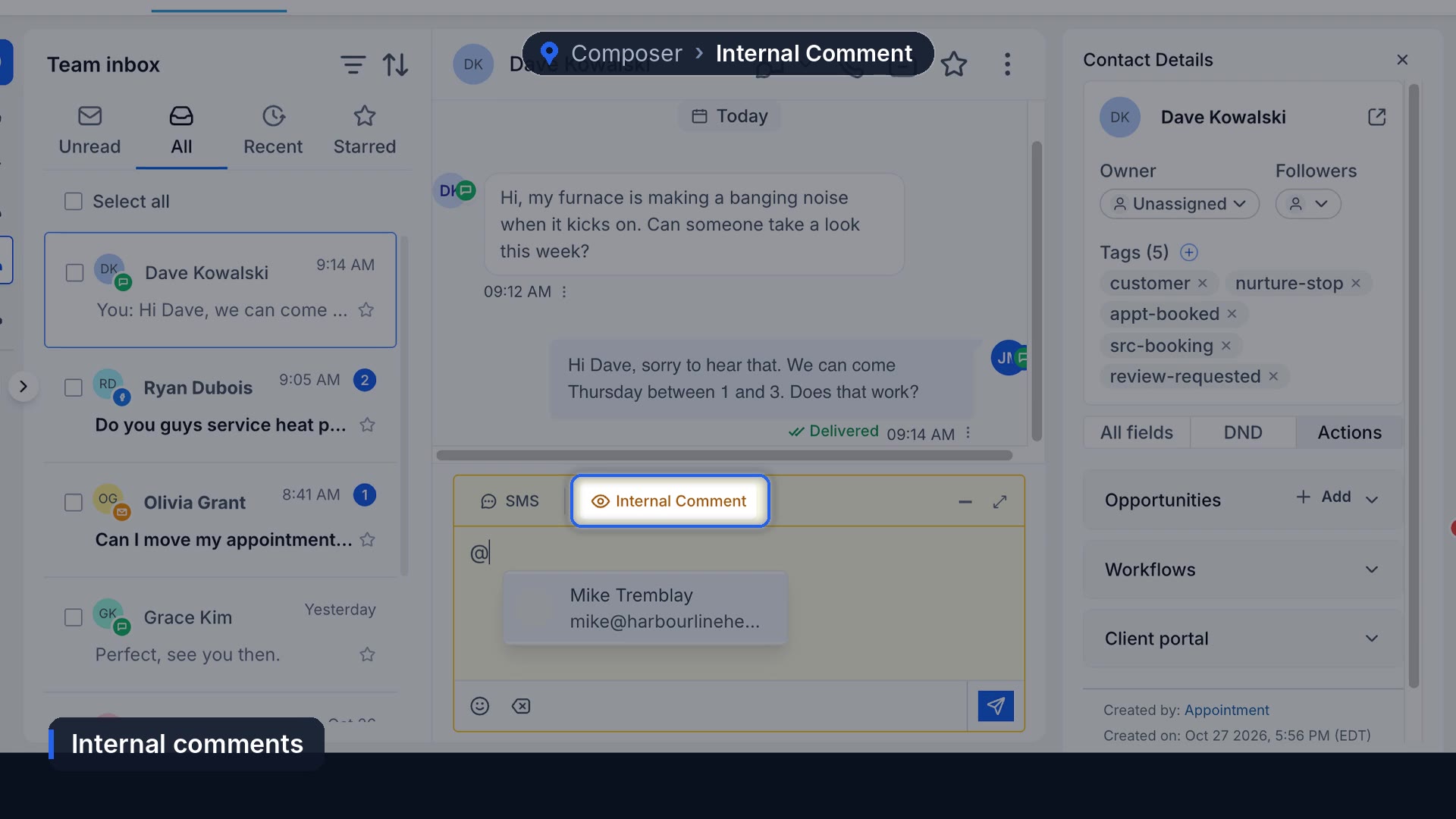
To hand a conversation off, use Owner in the contact panel on the right. Pick the person and it moves to their inbox.
How do you filter a busy inbox?
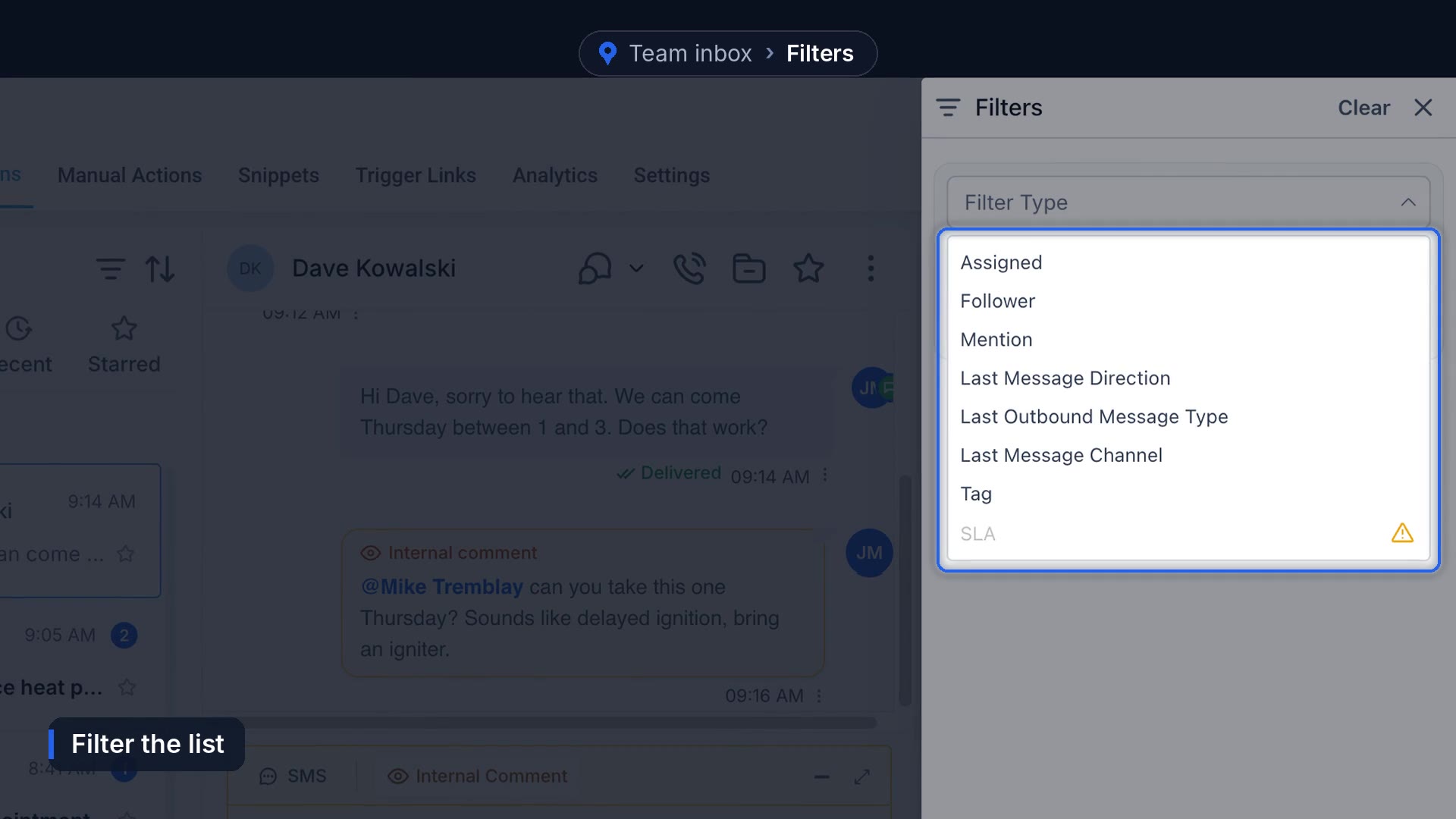
Click the filter icon, choose something like Last Message Channel, pick Facebook and click Apply. Now you only see Facebook messages. You can filter by assigned, follower, mention, message direction and tag too.
Why won't your texts send?
Carriers block business texts from standard local numbers until your registration is approved. Check for the Approved badge under Settings, Phone System, Trust Center, and if it isn't there, here's how to register for A2P texting. No number yet? Start with getting a business phone number.
Then test it: text your business number from your cell. It should pop up at the top as unread. Reply from the inbox and make sure it lands on your phone.
What one inbox doesn't fix
Putting every message in one place makes them visible. It doesn't make anyone answer. An inbox with no owner on each conversation turns into a list everyone assumes someone else is handling. We still don't have a better fix than assigning owners and checking Unread a few times a day. For calls nobody picks up, set up missed call text back so those land in the inbox too.
Frequently asked questions
What is the unified inbox in GoHighLevel?
The Conversations page, where texts, emails, Facebook and Instagram messages and other channels for a contact sit in one thread.
What's the difference between Team inbox and My inbox?
Team inbox shows every conversation in the account. My inbox shows only the conversations assigned to you.
Can customers see internal comments?
No. Internal comments are visible only to your team.
How do I assign a conversation to someone?
Open the conversation and set the Owner in the contact panel on the right.
Funl is built on HighLevel. Links to HighLevel are referral links, so we may earn a commission if you sign up.