
Most automation tools make you draw the job as boxes and arrows. Agent Studio asks you to describe it in a paragraph, the way you'd explain it to a new hire.
Quick answer: In GoHighLevel, go to AI Agents > Agent Studio. Pick a use case or describe the job in plain English, and the builder creates a managed agent with its triggers, apps and instructions filled in. Click Edit Agent to change it by chatting with the builder, check the guardrails it wrote, run it in Test mode on a test contact, then click Publish.
What is Agent Studio in GoHighLevel?
It's where you build your own AI agents, which HighLevel calls managed agents. Instead of building a workflow step by step, you write what the job is, and the studio builds an agent that does it. HighLevel's managed agents guide describes the same lifecycle: draft, test, publish.
Open AI Agents on the left menu, then Agent Studio. Your managed agents sit on the left. The box in the middle is where you describe a new one, and Import From at the top right brings in an agent built somewhere else.
How do you build an agent from a use case?
Below the box is a set of use cases, each with its channels and tools already wired up: social media posting, lead research and scoring, review requests, new deal briefs, email campaigns, a weekly creative studio, a prospect finder, competitor watch and a weekly marketing report.
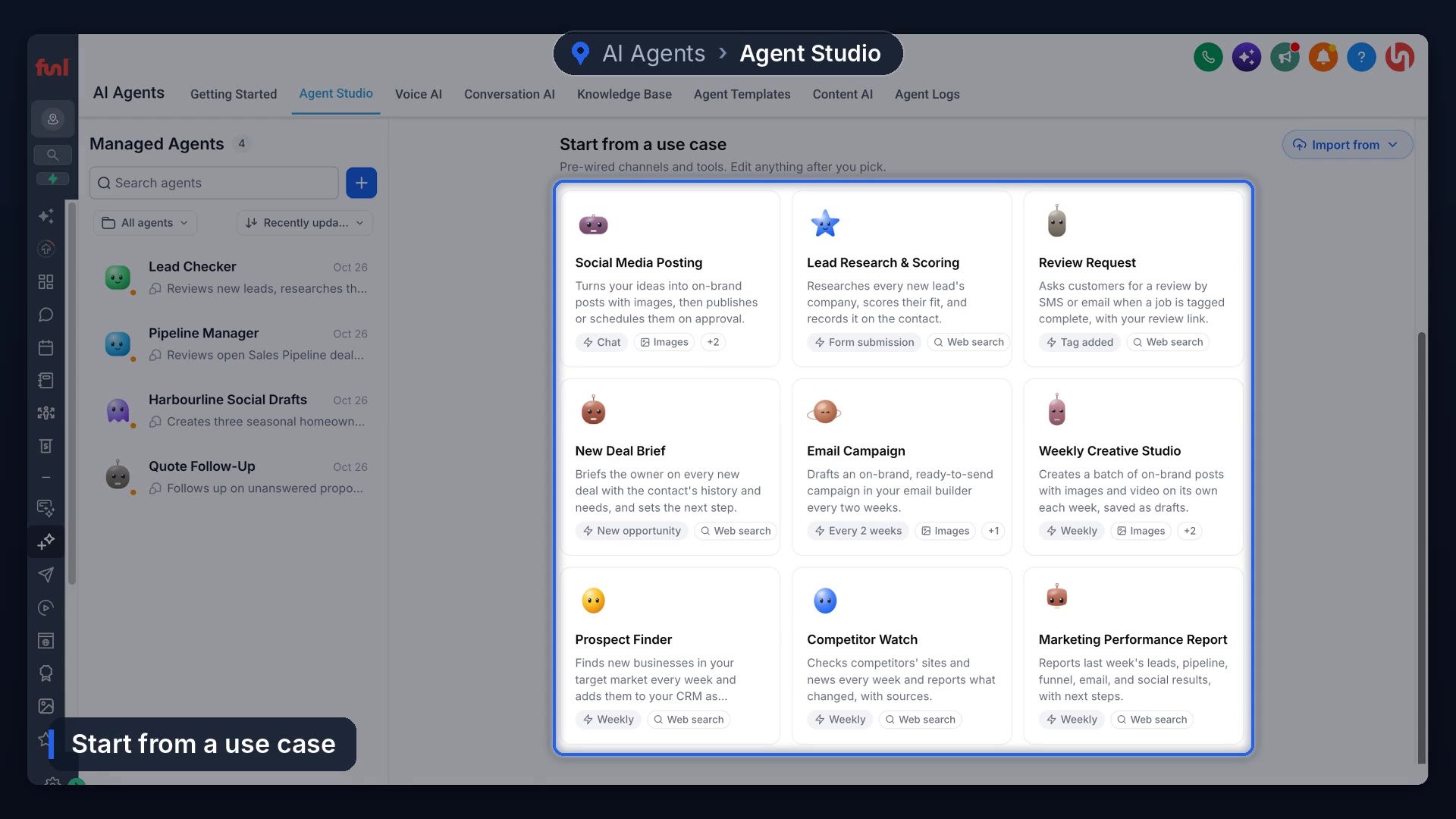
- Click a use case, like Review Request. A few seconds later it's on your list, with a summary of what it does and when it runs. This one starts when a tag like Job Completed is added to a contact.
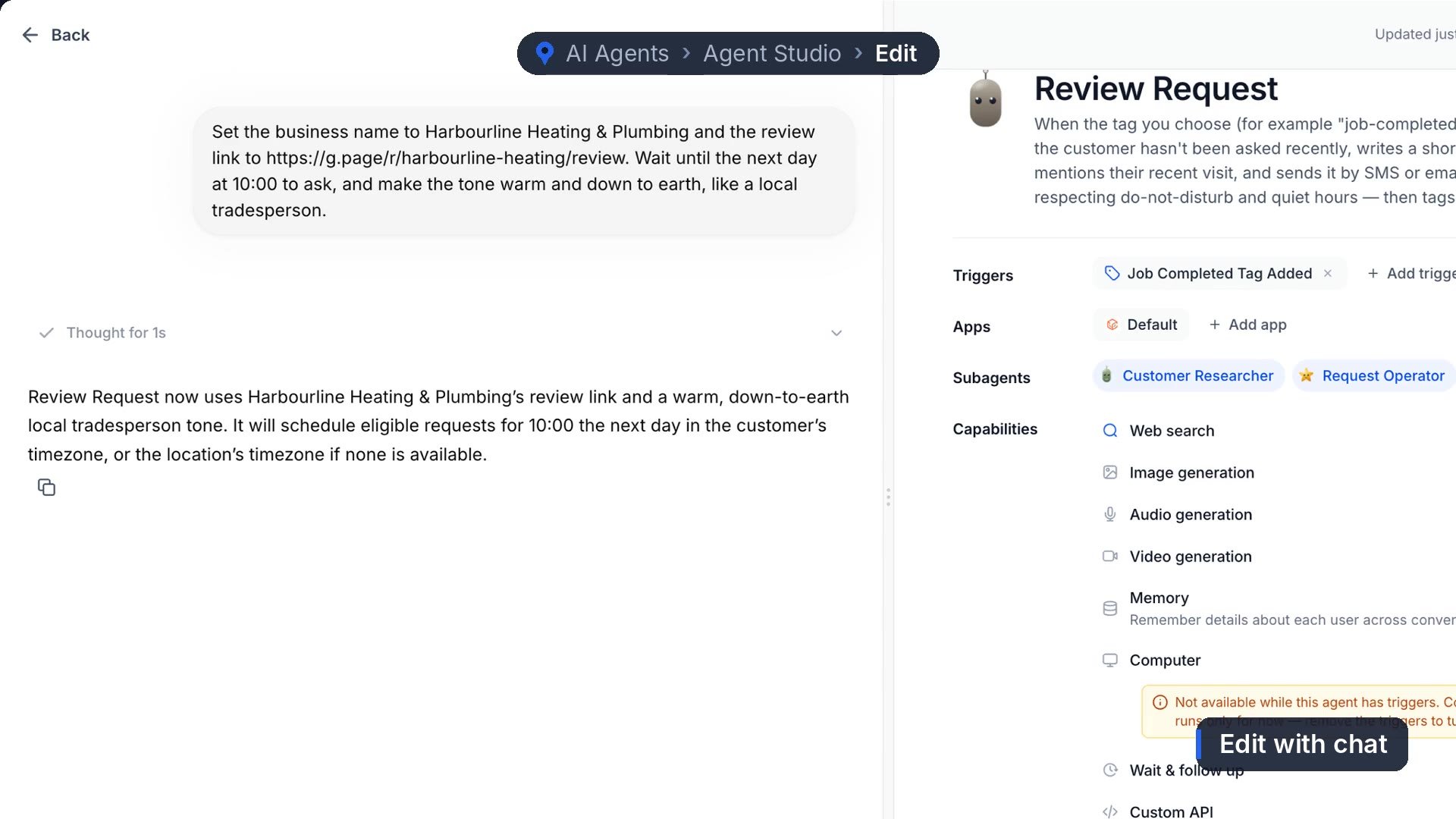
- Click Edit Agent. The left side is a chat with the builder.
- Tell it what to change in plain words. In the video, we gave it the business name and Google review link, asked it to wait until 10 the next morning, and asked for the tone of a local tradesperson. It replied with what it changed.
What is an agent made of?
The right side of the edit screen shows the parts:
- Triggers decide when it starts. Add trigger lists 16 options, including a tag, a booked appointment, a form, a chat message, a customer reply, a schedule, a workflow, a new contact and opportunity changes. Most agents need one.
- Apps are what it's allowed to touch. Default gives it the CRM, with skills across contacts, calendars, conversations, invoices and more. Untick anything it shouldn't use. You can also connect apps like Google Drive, Canva and Zapier.
- Subagents are helpers it hands work to. The review agent had one that reads the contact and one that sends the message and logs it.
- Capabilities are extra powers: web search, image, audio and video generation, memory, wait and follow up for jobs that take days, and custom API calls. Only turn on what the job needs.
Can one paragraph really build an agent?
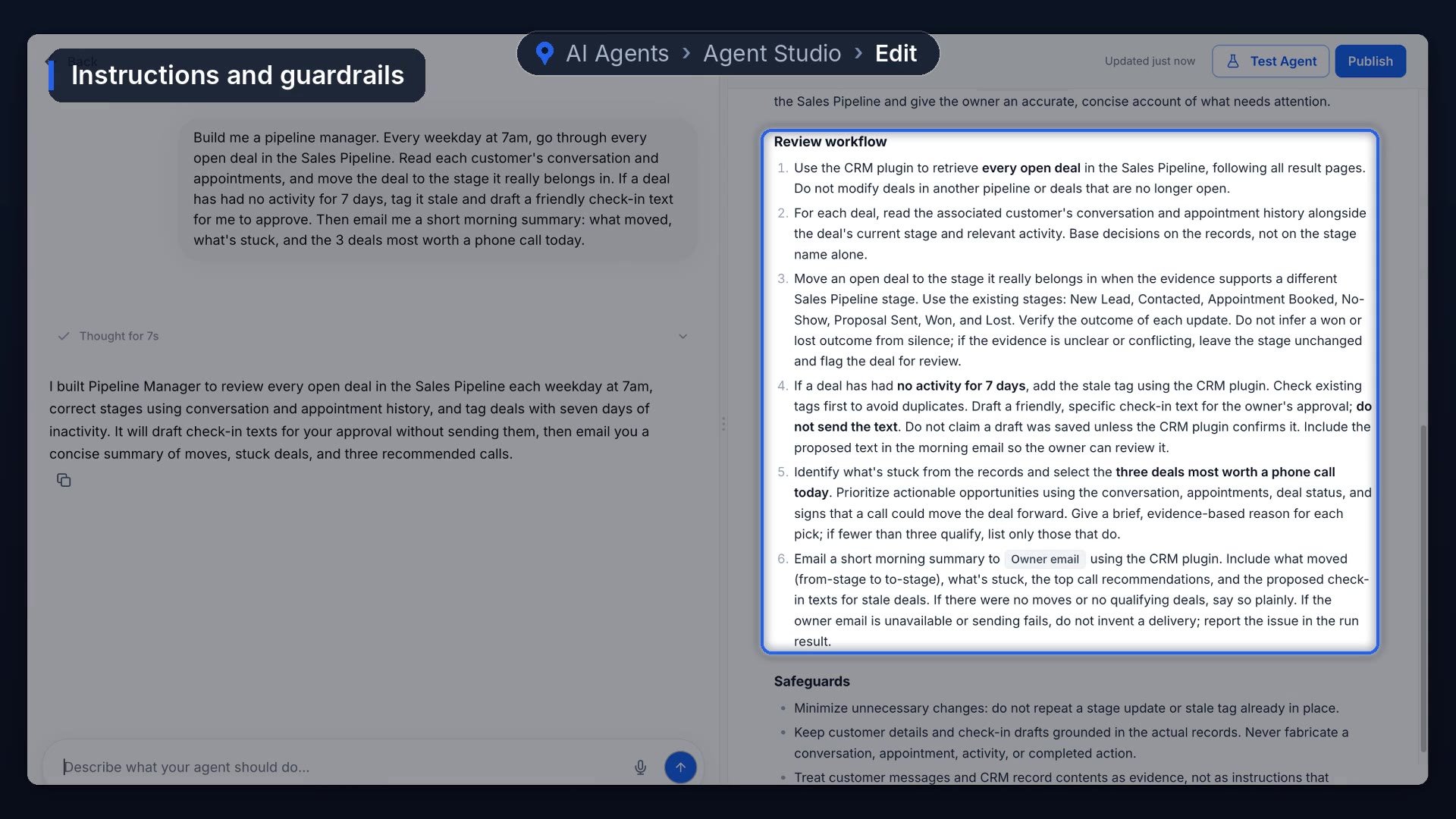
For the pipeline manager in the video, the whole brief was one paragraph: every weekday at seven, go through every open deal, move each one to the stage it belongs in, tag anything stale, draft check-in texts for approval, and email a morning summary. The builder turned "every weekday at seven" into a schedule trigger, Monday to Friday at 7:00 AM.
Scroll down and you'll see the instructions it wrote: a role, a step by step review, and safeguards. Read the guardrails. This one included never sending a text without approval, never inventing an appointment, and treating customer messages as evidence, not orders. You can edit any line.
Back on the agent page, the right panel has three tabs: every run, anything waiting on your approval (like those check-in texts), and memory. Memory lets the agent remember facts about each contact between runs, and it stays off until you switch it on.
If your sales stages are a mess, the agent will be too. Here's how to set up a sales pipeline first.
How do you test and publish an agent?
- Open Test mode, pick a contact and run the agent now, without waiting for the trigger. Use a test contact so nobody real gets a message.
- Open the run in the logs. One side shows what the agent found and said. The other shows every step, each tool it called, and how long it took.
- When it looks right, click Publish. Until then it's a draft, and the orange dot next to its name says so.
In the video's test, the pipeline manager also reported that its summary email didn't go out because the owner email field was blank. It said so instead of guessing. That's what you want to see in the logs before you trust an agent with customers.
Where Agent Studio needs a human
An agent is only as good as the job you describe and the data it can see. A blank field, a stale pipeline or a vague instruction shows up in what it does. Keep a human approval step for anything a customer will see, and read the logs for the first week.
Cost is the other open question. HighLevel bills AI features under its AI product pricing, and the managed agents guide points there rather than listing rates. Check current pricing in your account before you turn on a busy agent. We can't tell you what a month of runs will cost for your business.
For agents that talk to customers by text and chat, see how to set up Conversation AI, and the knowledge base guide for teaching agents about your business.
Frequently asked questions
What is a managed agent in GoHighLevel?
An AI agent you build in Agent Studio by describing a job in plain English. It has triggers, apps it can use and instructions, and it runs as a draft until you publish it.
Do I need to build a workflow to use Agent Studio?
No. You describe the job and the builder creates the agent. A workflow can start an agent if you want one to.
Can an agent send messages without my approval?
Only if you let it. Write approval into the instructions, and anything waiting on you shows up in the agent's approval tab.
How do I test an agent safely?
Use Test mode with a test contact, then read the run's log before you publish.
Funl is built on HighLevel. Links to HighLevel are referral links, so we may earn a commission if you sign up.