A customer asks your AI agent what a furnace tune up costs. If nobody wrote the price down, the agent guesses, and a wrong price is a worse answer than no answer. The knowledge base is where you write it down.
Quick answer: In GoHighLevel, go to AI Agents > Knowledge Base, open or create a knowledge base, and add sources: FAQs for common questions, rich text for policies, a table or synced Google Sheet for prices, the web crawler for your site, and files for PDFs or Word documents. Check answers with Test retrieval, then connect the knowledge base to your Conversation AI or Voice AI agent with a knowledge base trigger.
Where is the knowledge base in GoHighLevel?
Under AI Agents on the top menu, then Knowledge Base. You get a list of every knowledge base in the account, and you can have up to 15. One good one is enough for most small businesses.
Create with AI hands the job to the AI assistant. Tell it what to build from and it lays out a plan for you to approve before it makes anything. It's a fast start, but read every answer it writes before an agent uses it.
What can you add to a knowledge base?
Open a knowledge base and the source types run across the top. Per HighLevel's knowledge base overview, those are Web Crawler, FAQ, Tables, Rich Text and File Upload, and some accounts also show Web Search.
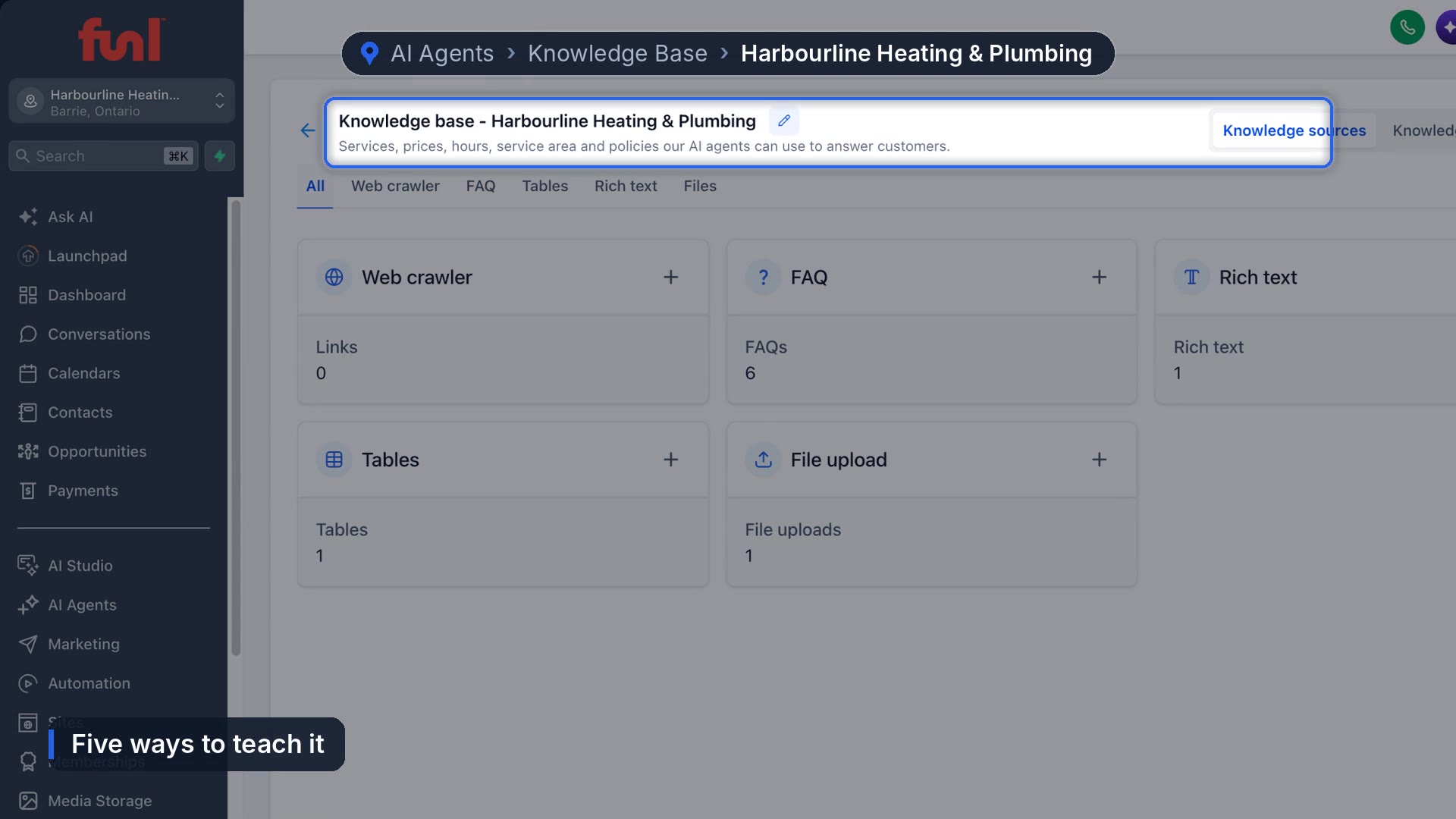
FAQs
One question, one answer. Start with the questions customers ask every week. In the Harbourline demo account we wrote six, including "Do you charge for an estimate?" and "What areas do you serve?" Write each answer the way you'd say it on the phone and put the real number in it. "The diagnostic fee is $129 and it comes off the repair" is an answer an agent can use. "Pricing varies" isn't.
Rich text
For information that doesn't fit a single question: hours, booking windows, what to have ready before a visit, payment, warranty, cancellations. One page is fine.
Tables
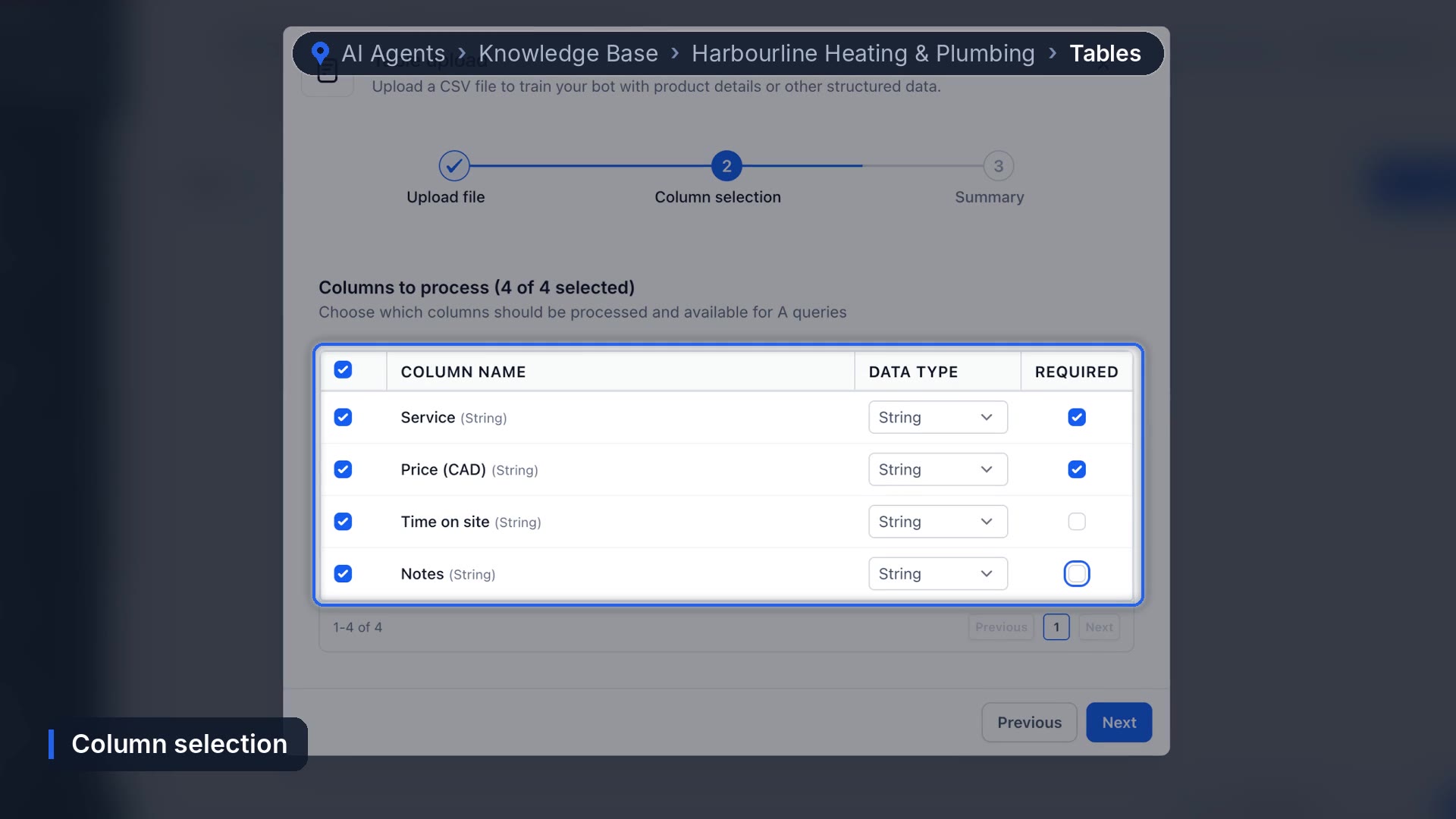
For anything that lives in a spreadsheet, like a price list. Upload a CSV, name it, then choose which columns the agent can use and which ones must have a value. If some rows have blanks (time on site, notes), mark those columns optional or the rows won't validate.
You can connect a Google Sheet instead of uploading a file. HighLevel's docs say synced sheets update about every 15 to 20 minutes, so a price you change in the sheet reaches the agent without another upload.
Web crawler
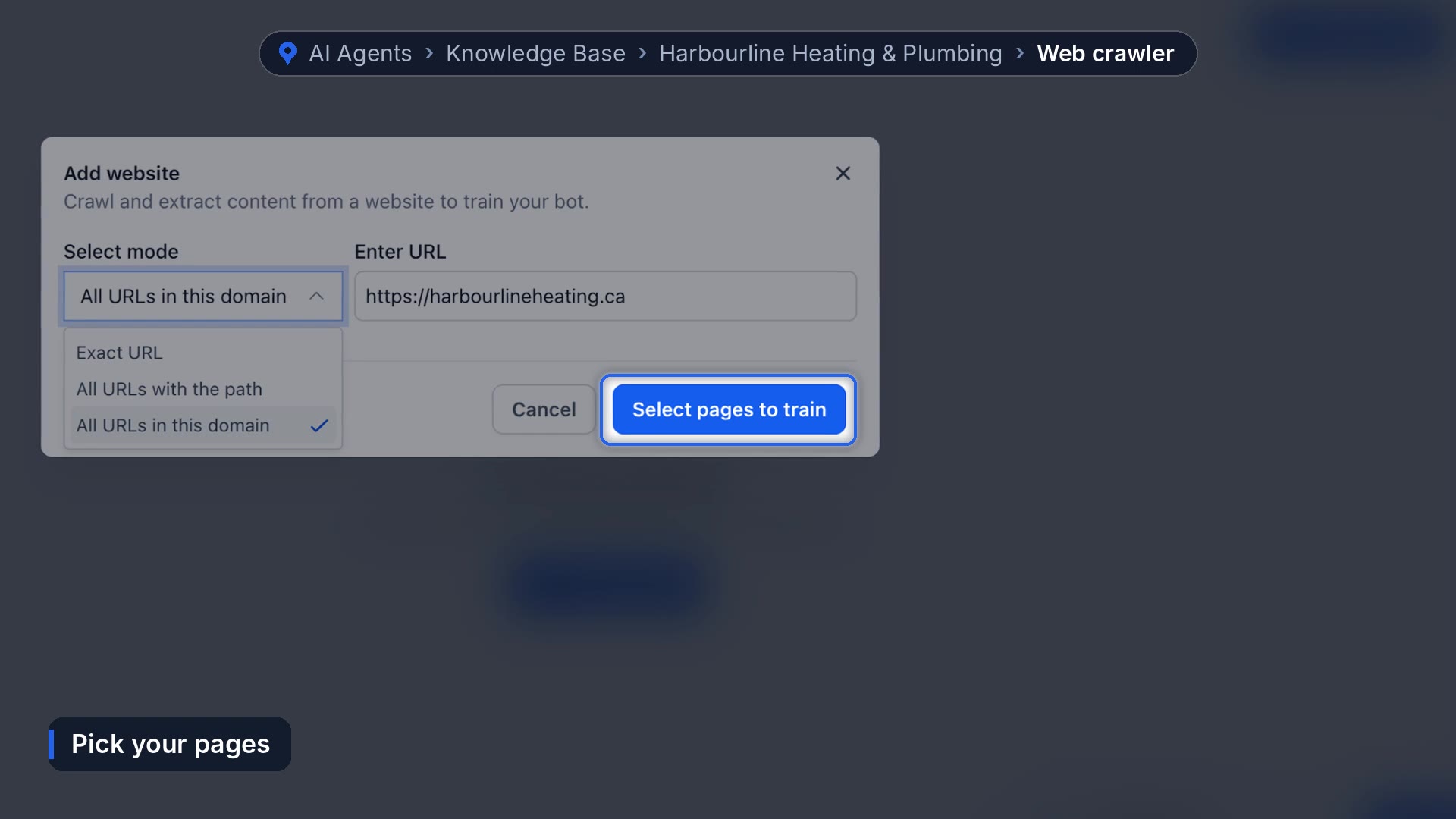
Paste your website address and pick a mode. Exact URL reads one page. All URLs with the path reads one section. All URLs in the domain reads the whole site. On a bigger site, choose the pages to train and skip anything old. The agent believes everything you give it, including a five year old blog post with last year's prices.
Files
PDF, Word and Markdown documents. A homeowner guide, a warranty sheet, a service menu.
How do you test a knowledge base?
Click Test retrieval and ask a question the way a customer would. It shows which sources it found and rates the match.
Read the results, not just the badge. When we asked the demo account about heat pump rebates, it still rated the match strong, but what it pulled was the price list and the maintenance plan. Nothing about heat pumps, because we'd never written anything about heat pumps.
That's what the Knowledge gaps tab is for. When real customers ask something the agents can't answer, it shows up there with how many times it was asked. Write the answer once and every connected agent has it.
How do you connect a knowledge base to an AI agent?
A knowledge base does nothing until an agent uses it. In Conversation AI, open your agent and find knowledge base triggers in the middle column. Add a trigger, pick the knowledge base and describe when to use it. Voice AI has the same setting for your phone agent. Then test the agent itself: ask a price question and check the answer matches what you wrote.
Habits that keep it accurate
- Start with the 10 questions you answer most.
- Put real prices in, and update them the day they change.
- Keep prices in a table or a synced sheet, not scattered across FAQs.
- Check Knowledge gaps every week.
Where testing can mislead you
A strong rating on a question the knowledge base couldn't actually answer is the part to watch. It means a quick glance at Test retrieval can tell you everything is fine when it isn't. We don't have a better check than reading the retrieved text every time, and asking a few questions you know it can't answer yet.
Not sure an AI agent is right for your business in the first place? Here's what an AI receptionist for a small business actually does and costs.
Frequently asked questions
How many knowledge bases can you have in GoHighLevel?
Up to 15 per account. Most small businesses only need one.
Can a GoHighLevel knowledge base read my website?
Yes. The web crawler can read one page, one section, or the whole domain, and you can choose which pages to train.
Can I use a Google Sheet as a knowledge base?
Yes. Connect it as a table source and changes sync automatically, roughly every 15 to 20 minutes per HighLevel's docs.
Why is my AI agent giving wrong prices?
Usually an old page in the web crawler, a price that was never written down, or a knowledge base that isn't connected to the agent with a trigger.
Funl is built on HighLevel. Links to HighLevel are referral links, so we may earn a commission if you sign up.